
Table of Contents
- Scanning devices
- Factors to consider
- Where to buy
- Devices that are not on our recommended list
- Minimum requirement for software compatibility
- Bluetooth barcode scanner
- Mobile computers
Scanning devices
When selecting a scanning device to use with CartonCloud there are a number of factors you must consider. The below table highlights these key factors to guide you in the right direction when choosing the appropriate scanning device for your operation.
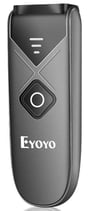
Bluetooth Barcode Scanner
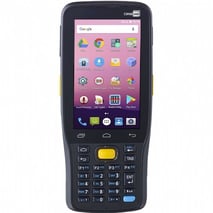
Mobile Computers
Factors to consider
|
Factors to consider |
Bluetooth Barcode Scanner |
Mobile Computers |
|
Affordability |
$ |
$$ - $$$ |
|
Just starting out and have little or no experience with barcode scanning |
Yes |
|
|
More advanced and technical warehouse operations |
|
Yes |
|
High-frequency use |
|
Yes |
|
Coldchain operations |
Yes |
Yes |
Where to buy
For our recommended manufacturers and where to buy devices, please see Where to buy.
Devices that are not on our recommended list
Important: We cannot guarantee compatibility with devices that are not listed below.
If you can't find a product that you would like to use on our provided list, please use the below self-test guide to check if the device is compatible with the current CartonCloud application.
CartonCloud Scanner Self-Guide Test
Minimum requirements for software compatibility
To ensure optimal performance of your device please ensure you are using the latest version of the CartonCloud mobile application for both Android and iOS. For Android devices, ensure you are using a model that supports a minimum of Android OS 7.0.0 or higher. For Apple devices, ensure you are using a model that supports the latest iOS software.
Bluetooth Barcode Scanner
Bluetooth Barcode Scanners can be connected (via Bluetooth) to either your Apple or Android device, enabling the scanning function from your mobile device whilst using the CartonCloud mobile app. Bluetooth Barcode Scanners are simple to use, will increase efficiency in your operations, and are at the most affordable price point.
The below outlines the different types of Bluetooth Scanners that have been tested with the CartonCloud mobile app for both Apple and Android devices.
Important for Apple Devices: Before choosing your Bluetooth Barcode Scanner you need to ensure you are using an Apple device that supports the latest iOS software.
You can purchase Bluetooth Barcode Scanners directly from CartonCloud, here: store.cartoncloud.com
Please note that if you buy from the CartonCloud Store, they will be shipped from Australia. If ordering from outside Australia please allow standard international shipping time frames.
| Bluetooth Barcode Scanner Device | Compatible with CartonCloud for Apple Devices (iOS) (Tested Internally) | Compatible with CartonCloud for Android Devices(Tested Internally) |
Where to purchase | Extra information |
|
EY-015 EYOYO 1D, 2D & QR codes Bluetooth mini barcode scanner with USB/Bluetooth/2.4G wireless |
Yes | Yes |
Directly from the CartonCloud Store
|
Very affordable and simple to use. A great starting point if you want to start scanning within your warehouse |
|
EYOYO - YA-YH0383 Mini CCD Bluetooth Barcode Scanner |
Yes | Yes | Directly from the CartonCloud Store | Mini pocket size makes the device very portable and easy to use. At an affordable price point. |
|
EYOYO YA-YH0790 2D back clip Bluetooth Barcode Scanner |
Yes | Yes | Directly from the CartonCloud store | Designed to clip into the back of your phone, only have to hold one device when scanning a barcode. Is well priced for the functionality it offers. |
|
ProGlove MARK Basic |
Yes | Yes | From Rack ID |
For daily and routine scan operations, MARK Basic delivers the efficiency of wearable scanning with the flexibility to fit into environments with scanning distances between 10 to 250 centimeters, or 4 to 98 inches. For more information please see here. For video guides please see here. For user instruction guide please see here. |
How to connect a Bluetooth Barcode Scanner
For instructions on how to connect a Bluetooth Barcode Scanner please see Connect a Bluetooth Barcode Scanner.
If your keyboard is not showing on your device with the Bluetooth Barcode Scanner connected please see Keyboard not Showing (iOS) for steps on how to resolve the issue.
Mobile Computers
Mobile Computers are a far more advanced scanning device with greater functionality than the Bluetooth Barcode Scanner. Mobile Computers are only available for CartonCloud on Android and not on Windows CX.
|
Mobile Computer Device |
Tested |
Extra Information |
|
CipherLab RS31 |
Yes |
CipherLab Android Scanning Devices CipherLab (RS31,RS50,RK95) Setup Guide |
|
CipherLab RK25 |
Yes |
|
|
Cipherlab RS35 |
Yes |
|
|
Urovo i6310 |
Yes |
|
|
Urovo RT40S |
Yes |
|
|
Urovo DT50 |
Yes |
|
|
Honeywell CK65 |
Yes |
Honeywell CK65/CT60/CT40 Setup Guide
|
|
Honeywell CT60 |
Yes |
Honeywell CK65/CT60/CT40 Setup Guide |
|
Honeywell CT40 |
Yes |
|
|
Zebra MC330K |
Yes |
|
|
Zebra MC930 |
Yes |
|
|
Zebra TC21 |
Yes |
|
|
Zebra TC22 |
Yes |
|
|
Yes |
Setup Guide |
|
|
Zebra TC56 |
Yes |
**Ships with Android OS 6.0, may be upgraded to Android OS 7.0 |
|
Zebra TC70 |
Yes |
**Only some models are upgradable to Android OS 7.0 |
|
Zebra MC930B |
Yes |
Zebra MC930B Setup Guide |
|
Panasonic FZ-N1 |
Yes |
Panasonic FZ-N1 Setup Guide |
|
Datalogic Memor 35 |
Yes |
Datalogic Memor 35/17/12 Setup Guide |
|
Datalogic Memor 17 (5G model) |
Yes |
Datalogic Memor 35/17/12 Setup Guide |
|
Datalogic Memor 12 (WLAN model) |
Yes |
Datalogic Memor 35/17/12 Setup Guide |
|
AML StrikerX |
Yes |
|
|
Point Mobile PM84 |
|
|
|
Point Mobile PM95 |
|
|
|
Point Mobile PM452 |
|
|
|
Meferi ME63 |
|
|
|
Meferi ME40K |
|
Transmission Speed
If the mobile computer you are using allows for configuration of transmission speed, it is recommended the maximum is utilised. Please refer to the device manual for how to configure the transmission speed.