To configure the CipherLab Mobile Computer Device to be compatible with the CartonCloud application follow the below instructions.
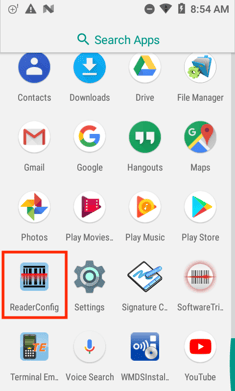
- Open the Reader Configuration application on the device (this application comes pre-installed on each device).
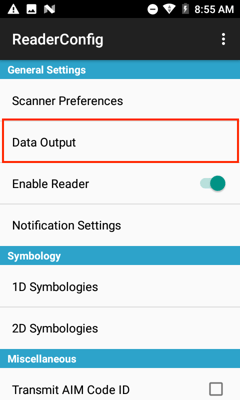
- Select Data Output.
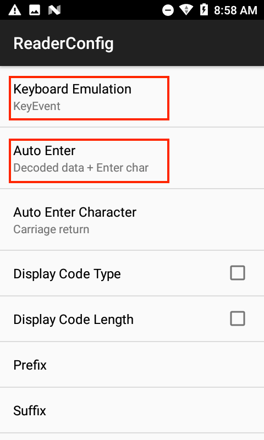
- Set the Keyboard Emulation to KeyEvent.
- Set the Auto Enter to Decoded data + Enter char.