
🔔 Note: this article is part of the CartonCloud Academy - TMS Basic Setup Trail. Please ensure you have read Get Started with Transport Zone Sets first. 🎓
Transport Lanes are the last piece in the puzzle for setting up CaronCloud to automatically allocate Consignments to a Delivery Run!
What are Transport Lanes?
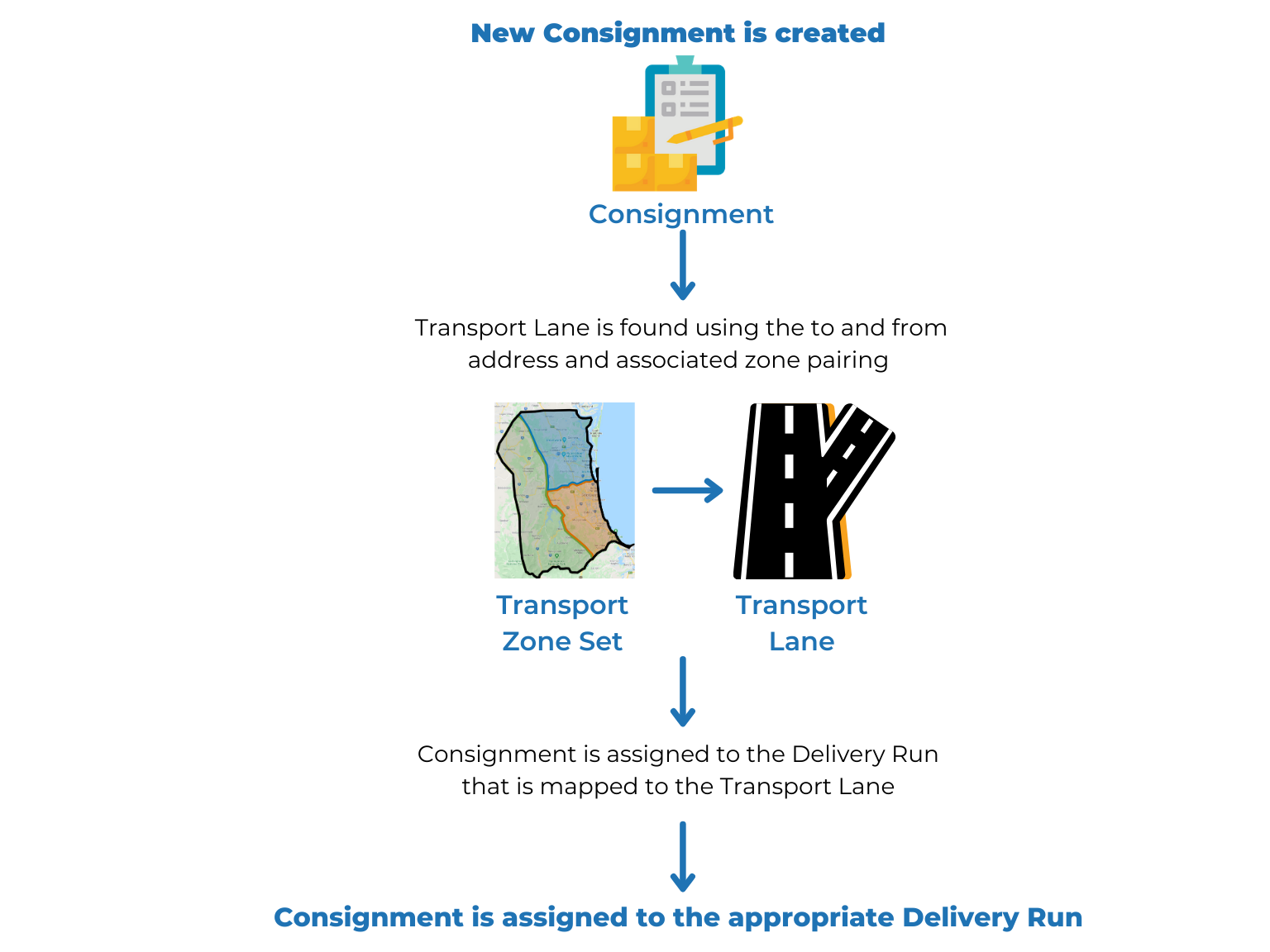
Transport Lanes contain the logic and rules that dictate what Delivery Run a consignment is assigned to. Defining this logic in the Transport Lane enables CartonCloud to automatically assign consignments to the appropriate Delivery Run. The logic is defined using your Transport Zone Set (the defined geographical zones your operation delivers to) and your Delivery Runs (how you operationally group your consignments for allocating activities to drivers and vehicles).
Application of Transport Lanes
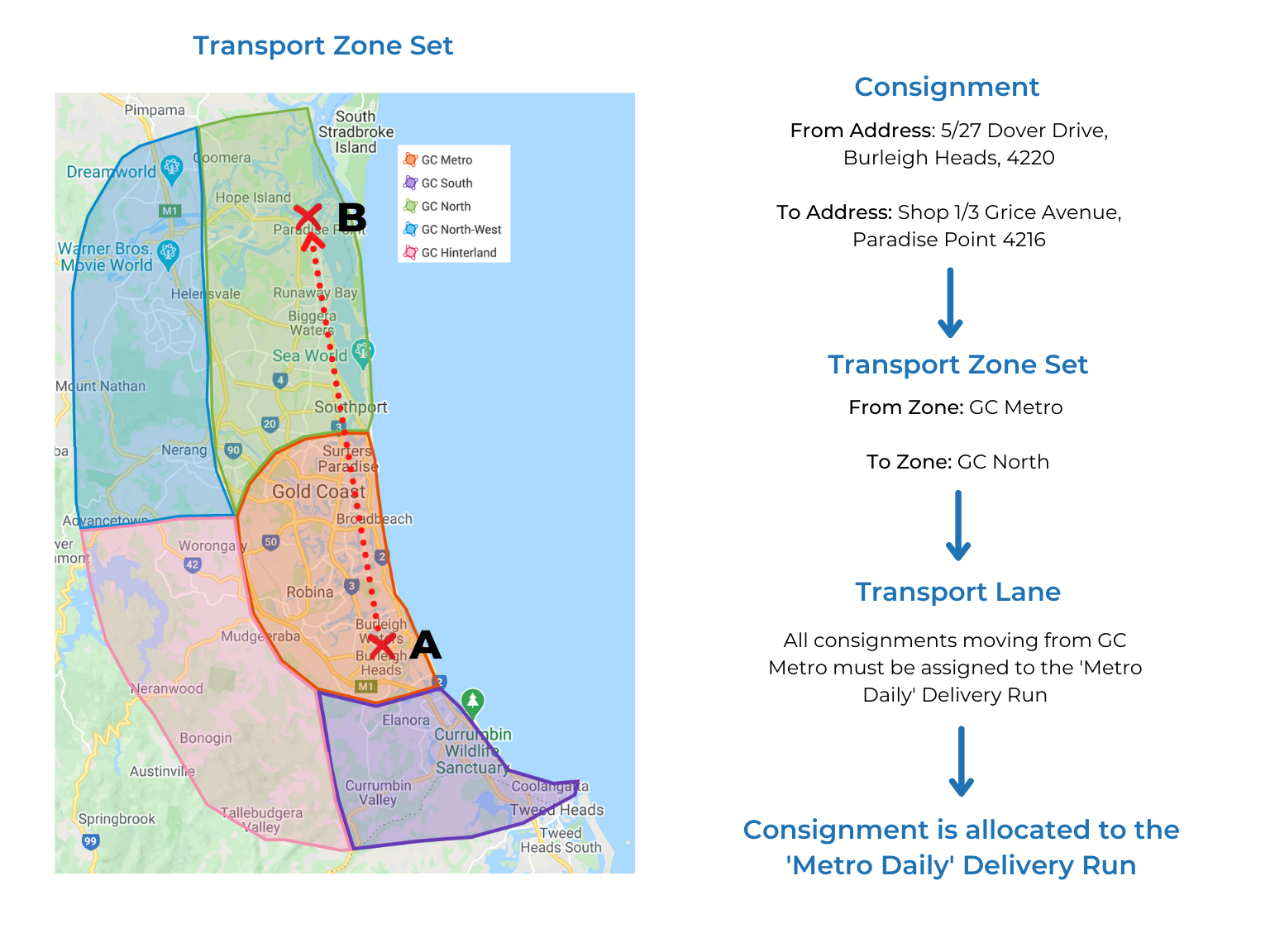
To understand how Transport Lanes work in CartonCloud, we will use an example delivery Consignment for Coffee Warehousing and Distribution. This Consignment is moving from Burleigh Heads to Paradise Point. And for this example, we will assume Nick has already created his Transport Lane that specified that any delivery Consignment moving from the GC Metro Zone (Transport Zone) must be assigned to the ‘Metro Daily’ Delivery Run.
Using the logic you define in the Transport Lane, CartonCloud will match the Consignmets to and from Transport Zone to the corresponding Delivery Run.
How CartonCloud automatically assigns the Consignment to a Delivery Run
Coffee Warehousing and Distribution Consignment example:
Add and configure a Transport Lane
Now that you know what a Transport Lane is and its important role in automatically allowing CartonCloud to allocate Consignments to a Delivery Run, it is time to start creating your Transport Lanes!
If you don’t know what Transport Lanes you need to create, we recommend you still follow along and create a Transport Lane that you can edit later.
Follow along with Vincent as he explains what a Transport Lane is, how to add one and how to configure the Transport Lane to ensure the correct Consignments are allocated to the right Delivery Run.
Nick from Coffee Warehousing and Distribution is excited to start creating his Transport Lanes and for CartonCloud to automatically allocate Consignments to their correct Delivery Run. This will save Nick and his team a lot of time and reduce the manual work required during the allocation process.
▶️ Follow along in the TMS Basic Set Up Trail...next up is Get Started with Income Zone Sets 🎓