
Table of Contents
What is a carrier
A Carrier in CartonCloud is used for operational purposes. A Carrier is a Transport Carrier (delivery, trucking or freight company) who delivers your transport jobs (Consignments).
When multi-carrier functionality is enabled, you will need to assign a Carrier to each Delivery Run. See Enabling Multiple Carriers for more information.
How to create a carrier
- Navigate to the Carriers page, by typing in Carriers into the Search for anything bar.
- Select the green + Add Carrier

- Enter the name of the Carrier in the Name field.
- Select Save.
How to enable multiple carriers
- Navigate to Organisation Settings, by typing Organisation Settings into the Search for anything bar.
- Select the Features & Options tab.
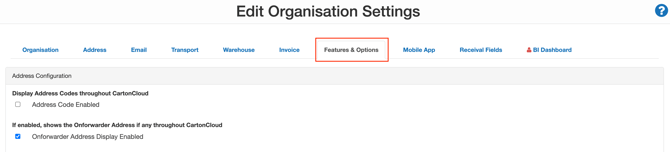
- Scroll down to the Carrier Configuration heading.
- Tick Multi Carrier Enabled.
- Click Save.