
Table of Contents
Purpose
Service Types allow you to classify and differentiate the types of transport services your operation provides. This is commonly used to distinguish between service levels such as General and Express, or to indicate specific service requirements like Frozen, Chilled, Tail Lift, HIAB, or Air Ride.
By setting up Service Types, you can manage pricing and delivery urgency more effectively across your consignments.
Prerequisites
-
You must have Administrator access to manage Custom Fields.
-
Ensure your Rate Cards are set up if you plan to apply pricing by Service Type.
Benefits
Using Service Types allows you to:
-
Apply different pricing to consignments based on the selected Service Type
-
Link delivery urgency to each consignment by associating it with the relevant service level
- Confirm and update the Service Type when using the Pack Screen
Use Cases
- Charge a higher rate for Express deliveries
- Apply specific rates for HIAB-required deliveries
How to create Service Types
-
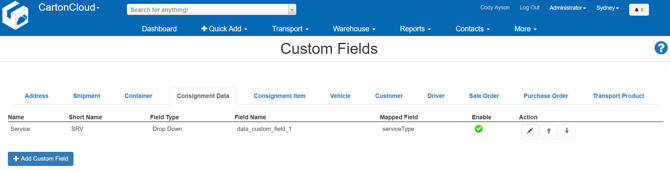
In the top navigation bar, type Custom Fields into the Search for Anything! bar.
-
Select the Custom Fields page from the search results.
-
Click the Consignment Data tab to view all custom fields related to consignments.
-
Locate the existing Service Type field.
-
Click the pencil icon under the Action column to configure it.
-
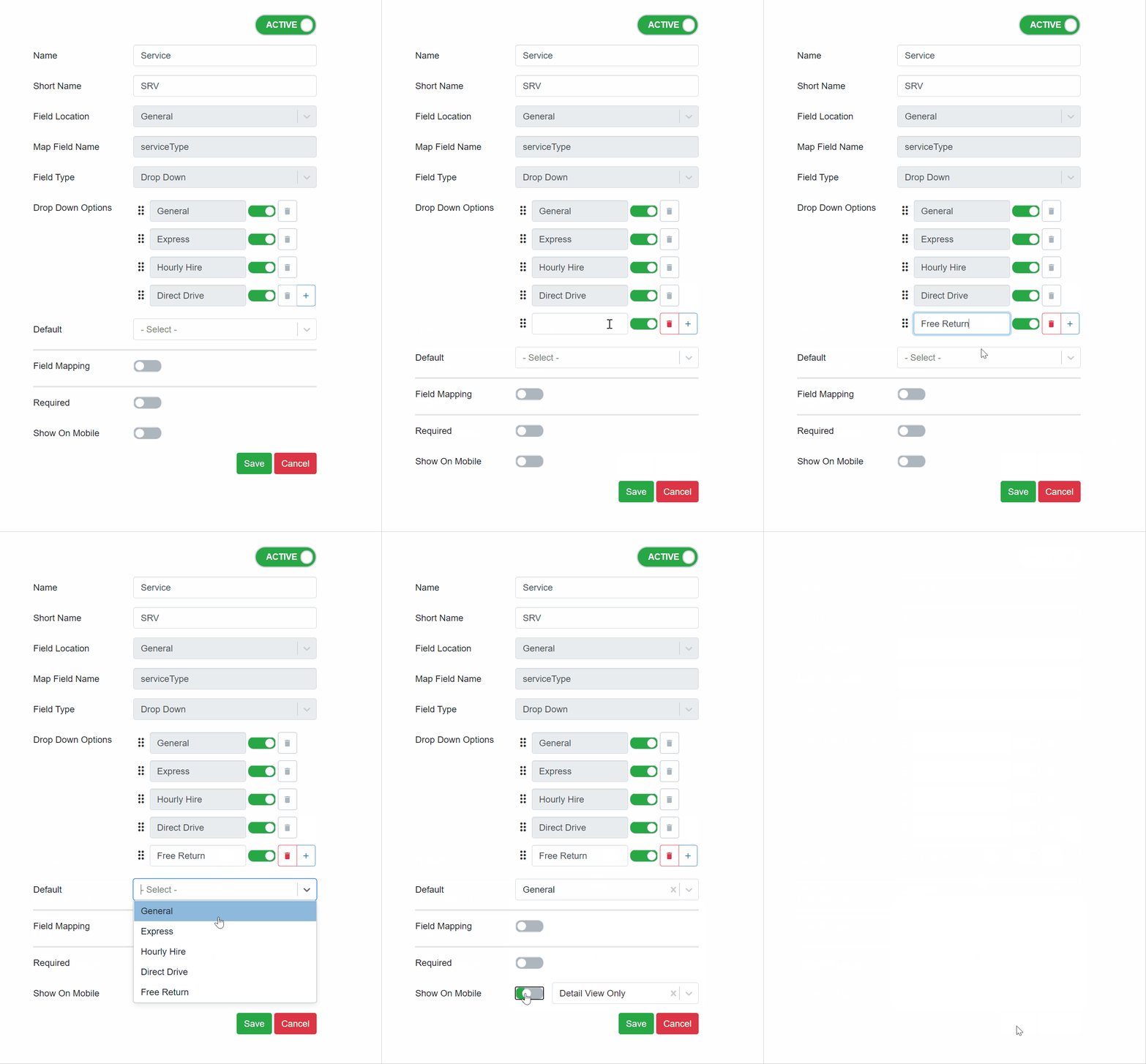
CartonCloud includes General and Express Service Types by default.
-
Use the green toggle sliders to enable or disable each one as needed
Adding a Service Type
-
Click the plus icon at the bottom of the Service Types list.
-
Enter the name of your new Service Type (e.g. Frozen, Tail Lift).
-
Click Save to apply the changes.
Setting a Default Service Type
-
Select a default Service Type to auto-populate this field when new consignments are created.
-
This is especially useful for consignments generated from Sale Orders, ensuring consistency and reducing manual entry.