Table of Contents
- What are warehouses?
- How to navigate to the warehouses page
- Warehouses page
- How to change between warehouses
What are warehouses
Within CartonCloud, you can create different warehouses to match the number of different warehouses (or, if for a transport operation, your various depots) you have within your operations. For example, if you have one warehouse in Brisbane and another in Perth, you would create two different warehouses, one called Brisbane and the other in Perth. Within each of these warehouses, you have different warehouse locations, products, customers, settings and stock.
You do not need to have multiple warehouses; you can operate with just one.
Please note that activating additional warehouses will incur additional charges. Please contact accounts@cartoncloud.com for further information.
How to navigate to the warehouses page
- Type Warehouses into the Search for anything bar.
Warehouses page
From the Warehouses page, you can Add Warehouses or Edit existing warehouses. For more information, see Add/Edit Warehouse.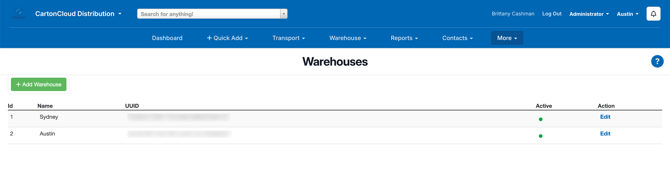
How to change between warehouses
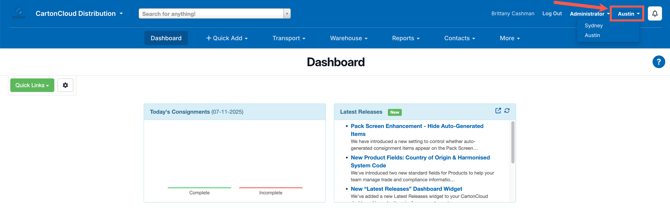
To change which warehouse on this page you are working on within CartonCloud, use the drop-down menu in the top right of the screen and select the desired warehouse name. Actions such as the creation of Sale Orders or Purchase orders are made regarding the warehouse chosen in this menu item.