
Table of Contents
- Scope
- Pins
- Pin locations
- Pin colours
- Pin numbers
- Consignment information & link through
- Consignments without geo location
- Current location
- Route optimisation
Scope
The map view within the CartonCloud mobile app is a powerful tool to not only provide the location and type/status of consignments in one easy glance but also to optimize a driver's route.
Pins
Consignments within the driver's consignment list are represented by pins on the map view.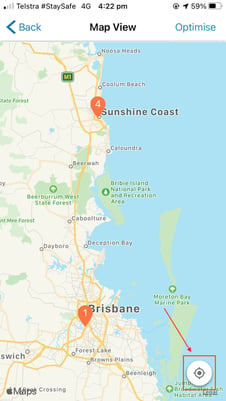
Pin Locations
A pin's location is determined by a consignment's geolocation (coordinates) as defined by its delivery or pickup address within the CartonCloud web app.
Pin Colours
The colour of a pin on the map varies depending on the type of consignment and the current status of the consignment.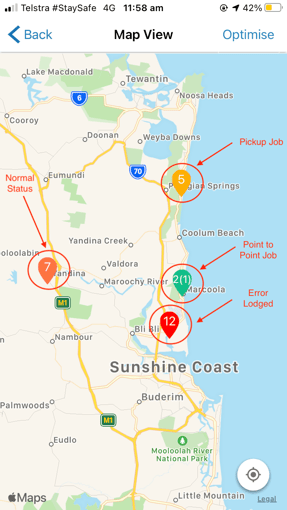
|
Colour |
Status |
|
Dark Orange |
Normal |
|
Light Orange |
Pickup Job |
|
Red |
Error Lodged |
|
Green (with "split" split pins showing both a Pickup and a Delivery stage) |
Point to Point Job |
Please check out this article with detailed information on how consignment types and statuses are represented by pin colours: Consignment Status Colours
Pin Numbers
The numbers displayed on the consignments pin represent the order of the consignments in the sorted list view, with the number 1 corresponding to the first position in the list view. On Point to Point consignments, the second number (shown in brackets) highlights which stage of the Point to Point consignment the pin represents.
Consignment information & link through
On tapping a pin, a info "bubble" with more information about the consignment will be displayed. This bubble can be dismissed by tapping anywhere else on the screen. Should you want to continue to the consignment's Detail View, simply tap on the info bubble and you will be directed to this view.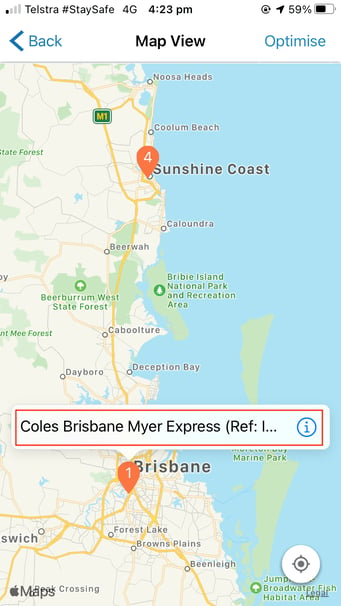
Consignments without geo location
If no valid geolocation has been provided for a consignment, no pin can be displayed for it on the map. To highlight the fact that one of the consignments is not represented by a pin, an icon (crossed out pin) at the bottom of the map view will be displayed, including a count of how many consignments are affected.
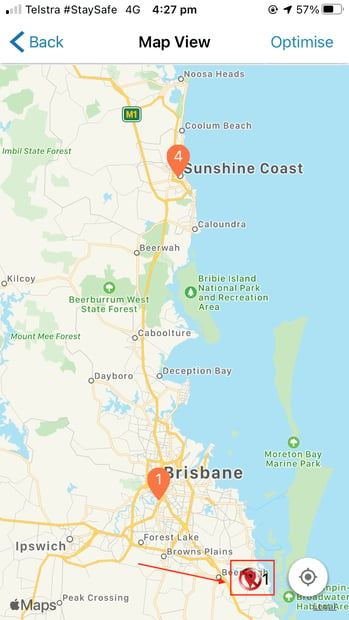
Should you want to focus the map on your current location, select the corresponding button at the bottom of the map view.
Current location
Should you want to focus the map on your current location, select the corresponding button at the bottom of the map view.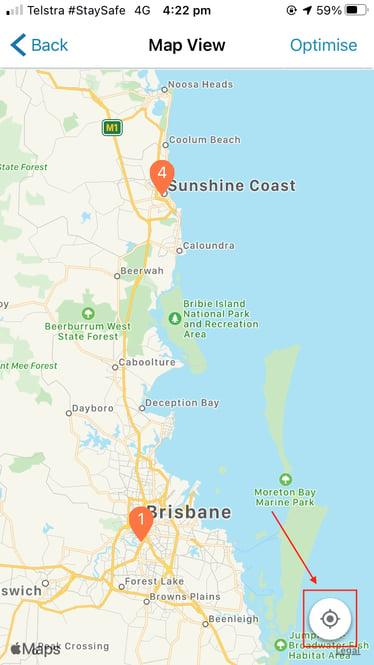
Route Optimisation
Please check out this article with detailed information on how route optimization works in the CartonCloud mobile apps: Route Optimisation