Table of Contents
Purpose
If customers require Sale Orders to be picked urgently, they can mark the order as urgent. The urgent request then needs to be approved by an account administrator. How Customers mark a Sale Order as Urgent
- From the Customer login, navigate to Warehouse > Sale Orders.
- Select the relevant order and click Mark as urgent.
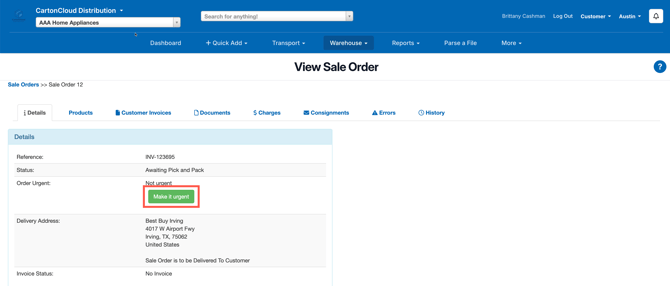
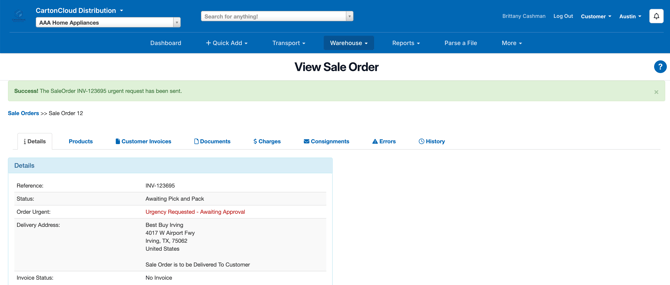
- Once the order has progressed beyond "Awaiting Pick and Pack", the customer no longer has the option to "Make It Urgent" (as you're already processing).
- When Orders are added to a Wave Pick they are immediately updated to "Packing In Progress" status, so the Urgent Request needs to be made prior to the Wave Pick starting.
Approving the urgent request as an Admin
The Urgent Request can be acknowledged (or rejected) up until it gets Packed. When the order is marked Packed, if the request stands, then it will be approved automatically.
- Navigate to Warehouse > Sale Orders.
- You will be notified of urgent order requests.
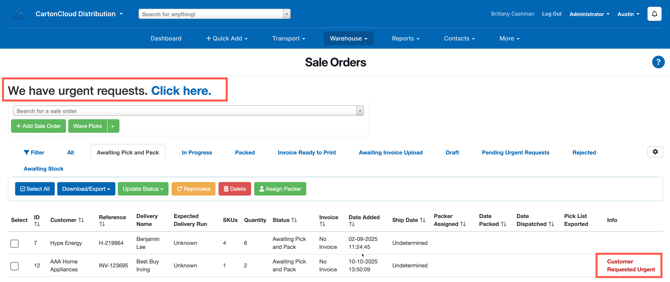
- Click Click here.
- Click through to the urgent order.
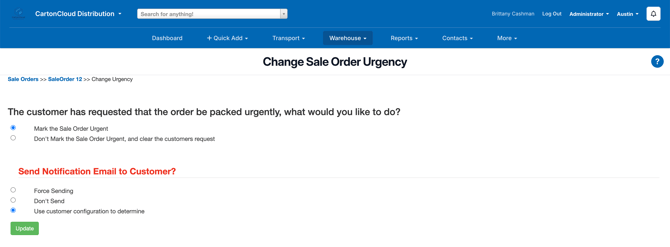
- Click Respond to Urgent Request.
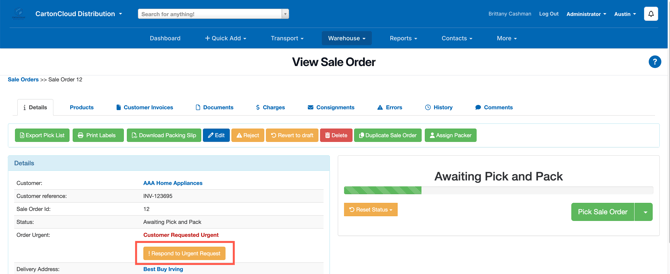
- Update the order accordingly.