
🔔 Note: this article is part of the CartonCloud Academy - TMS Mobile App Trail. Please ensure you have read Introducing the transport mobile app first. 🎓
It’s time to jump into some of the more exciting features of the mobile transport app. Nick from Coffee Warehousing & Distribution is excited to make his driver's job easier and to provide greater visibility to his customers.
Follow along with Tony as he speaks through the key features of the transport app.
Leave a comment against the Consignment or address
With the CartonCloud transport mobile app, you have the ability to add comments to the Consignment or address for other users to see (excluding customers). This allows for increased visibility and communication between users, especially drivers and admin staff. For example, if the driver had to wait longer before being able to unload the delivery, the driver can leave a comment against the Consignment, so admin staff know to charge for waiting time. Or, if the delivery site has particular delivery requirements, they can record this against the address at the time of making the delivery so that for future deliveries to that site, other drivers will know.
How to add a comment to the Consignment
- Select the relevant Consignment
- Click the comment icon against the Consignment.
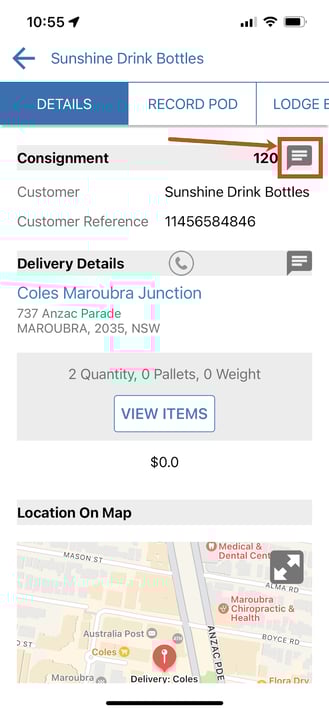
- Enter the comment.
- Click Post.
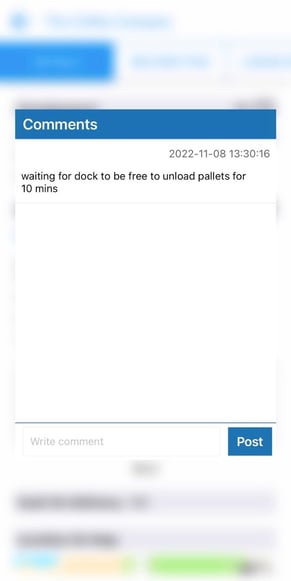
- This comment will now appear against the Consignment on the web and mobile app for all users (excluding customers).
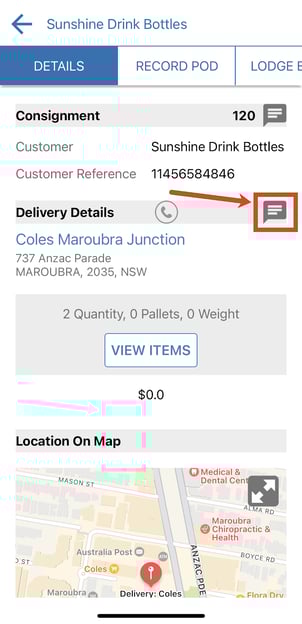
How to add a comment to the address
- Open the Consignment.
- Click the comments button against the address.
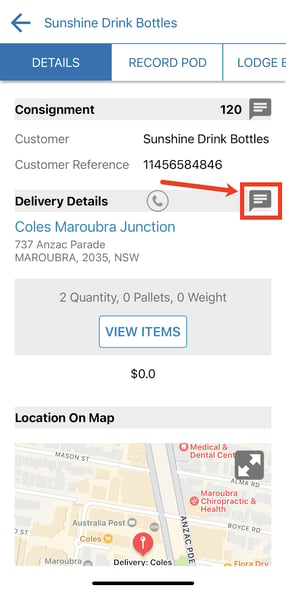
- Type in the comment
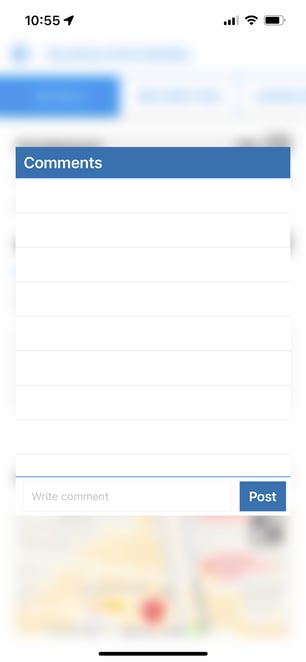
- Click Post.
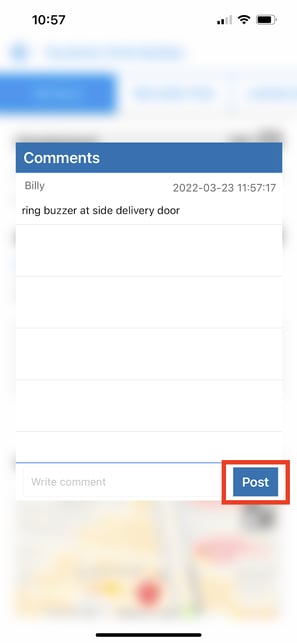
- The comment will now appear against the address in the mobile and web app for all users.
Beneifts of using comments:
- Easily communicate between the driver and admin users. Comments that are made by either the driver or admin user will show on the mobile app and web app for both users.
- Record important information against the Consignment.
- Useful for drivers as they can then record important delivery information for future deliveries.
Call or text the ETA
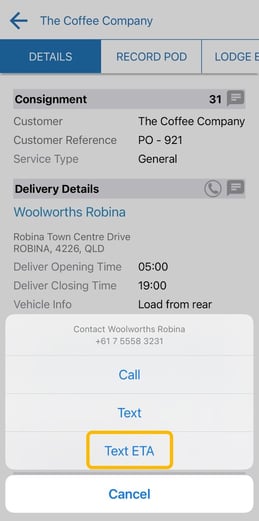
The CartonCloud mobile apps allow drivers to contact customers by call or text message (assuming a telephone number has been provided for the customer's address via the web app). One of the contact options is an ETA text message. While the standard text message option will have an empty body, an ETA text message is pre-filled with various information about the consignment as well as an estimated arrival time.
How to call or text the ETA to the delivery address contact:
Please note this is only possible if you have loaded the phone number against the delivery address in the web app. Please see here for more information.
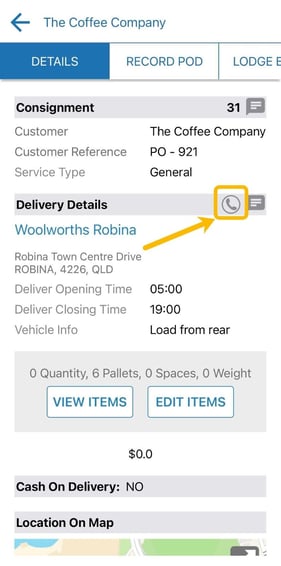
- Select the phone icon next to the Delivery Details.
- Click Text ETA or if you would rather send a unique message (not use the ETA template) click Text or if you would prefer to call click Call.
- A new text message window will appear. Click the arrow send icon.
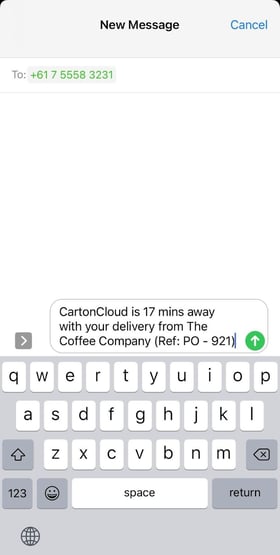
For more information on ETA text messages click here
Customs fields on the mobile app
CartonCloud allows you to create custom fields to record specific data against different records within CartonCloud. These custom fields can be made visible on the mobile app. For example, if you choose to create a custom field for the opening hours of a delivery address, you could choose to have this displayed on the mobile app, making it easier for drivers to know when to make the delivery by.
For information on how to set these custom fields up please click here.
Edit Consignment Items
Drivers on the mobile app have the ability to edit Consignment Items on a Consignment. In addition, you can choose to trigger a Consignment Error on the web app when the Driver makes a change to the Consignment. This way, you are aware of the change, which allows you to proactively manage communications with the customer and action any relevant admin activities related to the change.
For information on how to edit Consignment Items and the related configuration set ups please click here.
Nick now knows the major features of the transport mobile app and can already see the benefits it is going to bring Coffee Warehousing and Distribution and their drivers and customers.
Map view on the mobile app
Another great feature of the transport mobile app is the map view. Map view within the CartonCloud mobile apps is a powerful tool to not only provide the location and type/status of consignments in one easy glance but also to optimise a driver's route. Nick is interested in learning more about this tool to see if it is something that his drivers will be able to use.
Follow along with Tony as he demonstrates how to use the map view on the mobile app.
▶️ Follow along in the TMS Mobile App Trail...next up is Delivering a Consignment and recording an electronic POD 🎓