
Table of Contents
Dock Management is a paid CartonCloud application. Contact the CartonCloud support team for pricing and access.
Link your dock calendar to your CartonCloud account so bookings carry real order context.
Connecting
Under Settings → CartonCloud, enter your CartonCloud Tenant ID and API credentials (client ID and secret — generated in CartonCloud under your API settings). Credentials are stored securely and never shown again after saving.
Scopes needed:
- TMS Create Jobs
- WMS Create Jobs
- Allow access to ALL Warehouses and Customers
What you get
- Link purchase orders to inbound bookings — search your CartonCloud POs from the booking and attach them
- Link sales orders to outbound bookings — same flow for outbound
- Link consignments to any booking — direction-agnostic, and a booking can carry several
- Linked bookings show the CartonCloud icon on the calendar and the order reference, customer, and item count in the booking details
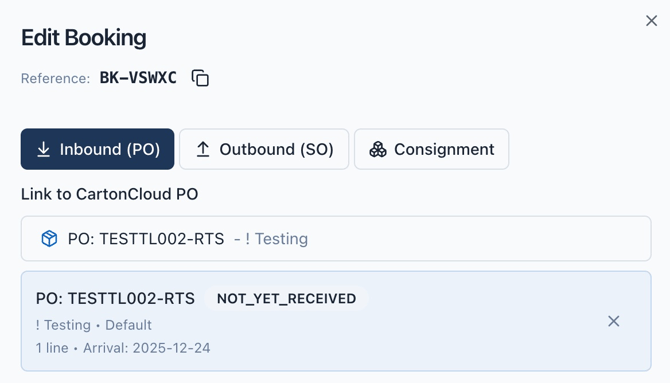
Your dock team sees what's on the truck without leaving the calendar, and your inventory team sees arrivals reflected against the orders they're expecting.