
Table of Contents
Inviting another user from the company
From this page it is possible to get another user the same level of access you have to CartonCloud, this means you can give another employer access to creating orders without needing them to use your login.
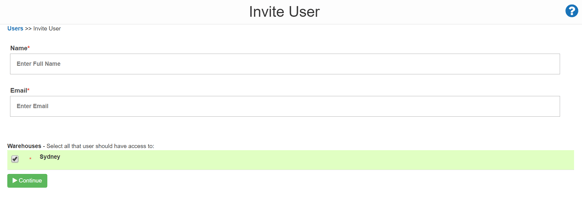
- To invite a user begin by selecting the Actions button, then select Invite New User.
- Enter the new users details ensuring the email address is correct and then click Continue.
- A window will pop up allowing you to customise the invite message the User will receive (this is a great time to send them any additional instructions)
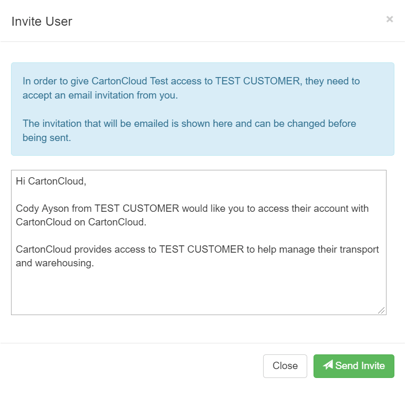
- Once you are happy with the message select Send Invite and the email will be sent off.
Accepting the invite
What do if the user accepts the invite but cannot seem to access the Tenancy or Customer
One thing to keep in mind is that a CartonCloud User has a single login to view all the tenancies (3PL warehouses) and customers they have access to.
This means if you invite them to your tenancy they will need to manually select to view your tenancy from the drop-down menu.
If a User you have invited is reporting not being able to access your Tenancy or Customer portal. Please first ask them to double-check they have attempted to select it in the drop-down menus shown below.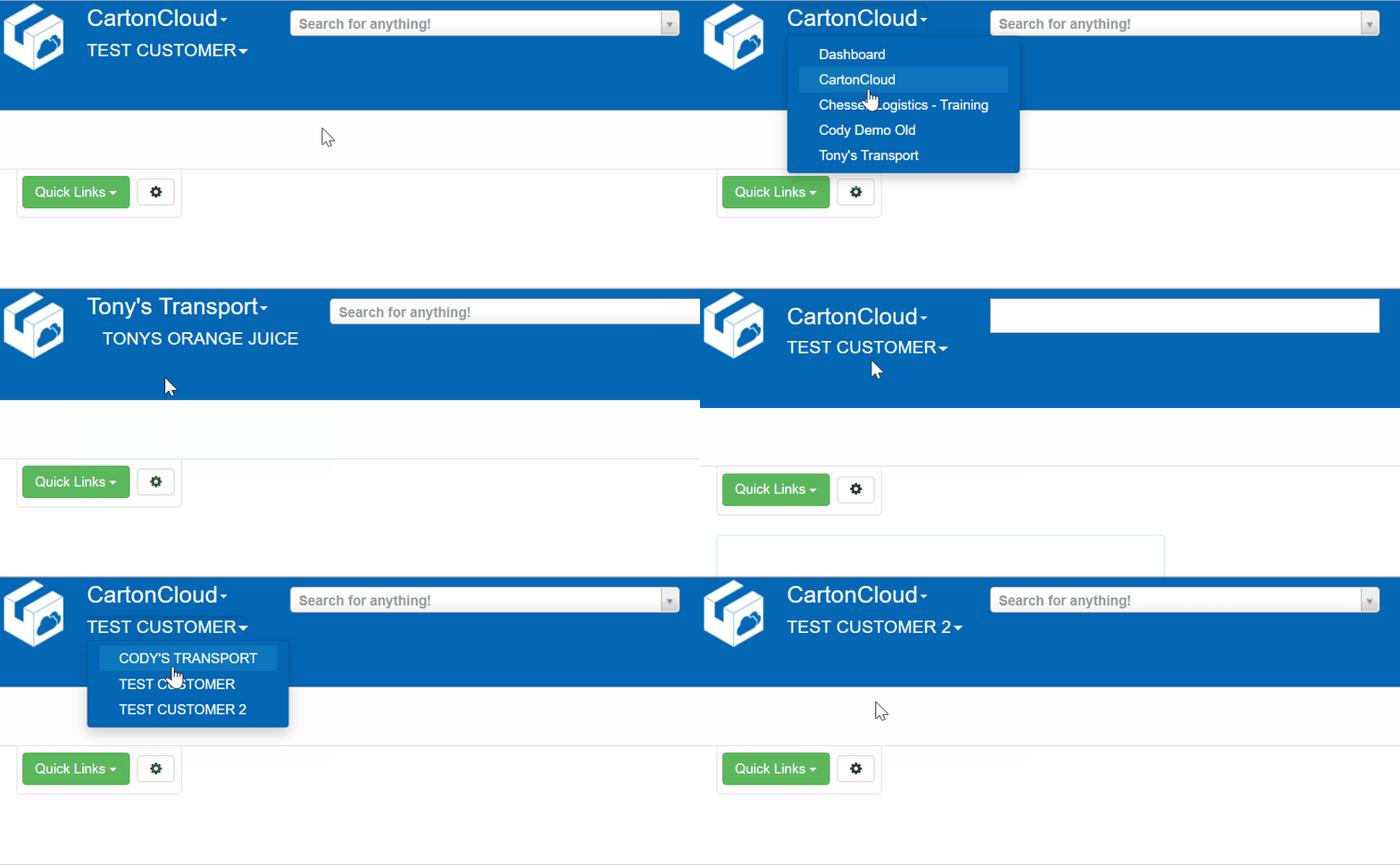
-
The top drop-down menu allows the User to move between tenancies.
-
The bottom drop-down menu allows the User to move between Customers within those tenancies.