
Table of Contents
Purpose
On the View User page, you can edit and disable the User and associate an address and delivery run to the User. 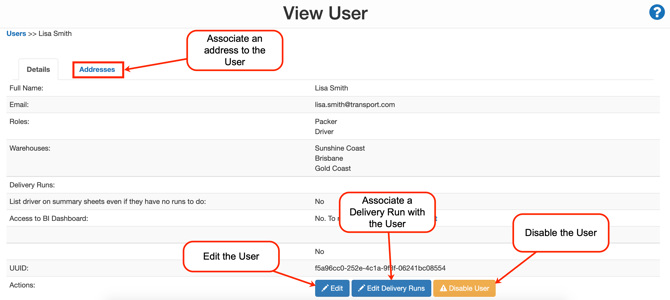
Edit the User
To edit the User:
- Select the blue Edit button.
- For more information on editing a User click here.
Disable the User
See Disabling Users for steps on how to disable a User.
Associate Address and/or Delivery Run to a User
Associate an Address to the User
Associating an address to a User is mainly designed for Drivers. Once you have linked an address to the Driver it will appear on their mobile application when they are optimising their route. This is useful for the Driver's home address as when optimising the route it will take into consideration that the driver either wants to begin and/or end their delivery route at home. 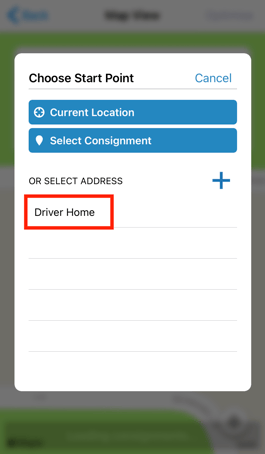
To associate an address to the User:
-
Select the Addresses tab.
-
Click +Link New Address.
Associate a Delivery Run to the User
By associating a Delivery Run to a particular User it grants the User access to viewing the Delivery Run.
To associate a Delivery Run to a User:
-
On the details tab of the User, click Edit Delivery Runs.
-
Click Add Delivery Run.
-
Select the Delivery Run from the drop-down menu.
-
Click Save Changes.