Table of Contents
Purpose
Customers often have Product Codes stored within their systems that are not pickable items from a 3PL perspective, such as Freight Lines, Tax Codes, Discount Codes etc.
With Product Code Filtering, customers can now take control of what Product Codes they want excluded from the Sale Orders automatically when created.
Prerequisites
Currently, this is only available to users with the 'Customer' user role. Administrators can enable the Customer permission to their account by editing their permissions.
How to steps
- Under the 'Customer' user role, navigate to More > Settings
- Select Products.
- Enter the Product Codes that you would like CartonCloud to ignore from the order as shown below. Once you are done select Save.
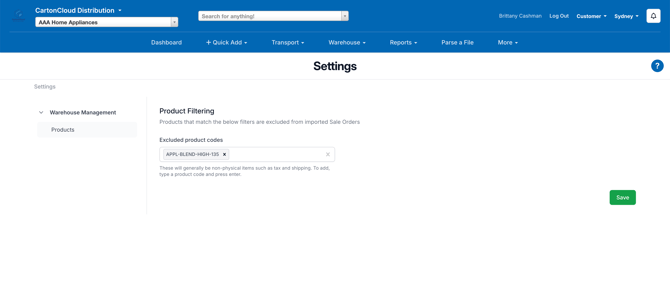
Note - there is no requirement for the Product Codes that need to be ignored to be added as Product Codes within CartonCloud.
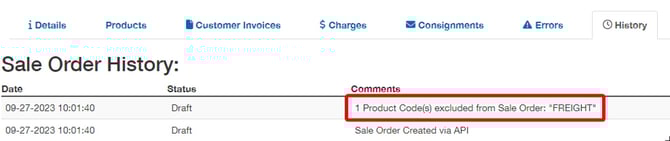
The excluded codes will show against the Sale Order history