
Table of Contents
Purpose
If you experience an outage with your Accounting Connector due to an API/system outage with the accounting platform, you will need to reconnect to the service.
How to reconnect your Accounting Connector after an outage
Through Customer Settings
-
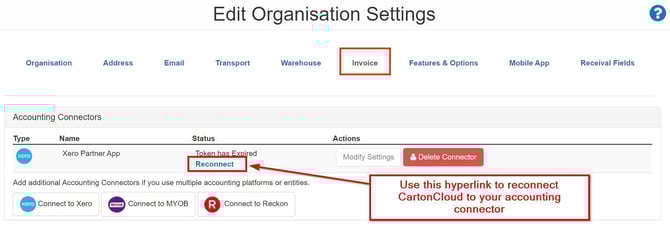
Navigate to the Organisation Settings, More>Organisation Settings.
-
Click the Invoice tab.
-
Under Accounting Connectors, select the Reconnect hyperlink under the status column.
Through the individual Invoice
-
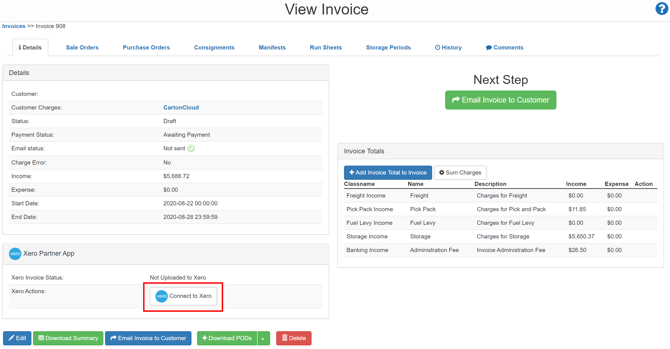
Navigate to the relevant Invoice, More>Invoices.
-
Scroll down to the Accounting Connector Partner App box.
-
Select Connect to Xero (or the name of the relevant Accounting Connector).
You will need to re-upload any invoices that did not upload during the outage. To do so, navigate to the relevant Invoice and select the Re-upload to Xero (or accounting connectors name) button at the bottom of the screen.