
Table of Contents
Purpose
The Warning / Expired Stock Report provides you with a way to easily see any stock that is currently in the warehouse which is either within the expiry warning period (this warning period is set up against the product record) or expired.
How to run a Warning / Expired Stock Report
- Select Reports in the main menu, followed by Warning/Expiry Stock Report.
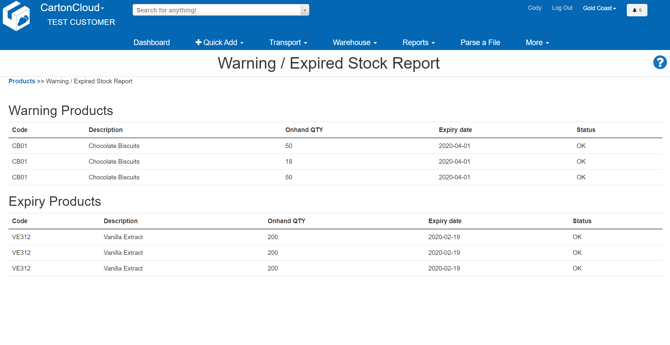
- All stock which is either within the warning period or already expired based on the current date will instantly appear.
- For example in the report below we can see 3 warehouse locations containing Chocolate Biscuits which are getting close to expiry, and 3 pallet locations of Vanilla Extract which are already expired.
If you wish to adjust the warning threshold on Product records so they appear on this report earlier or later check out the article Add a Product.