Table of Contents
Purpose
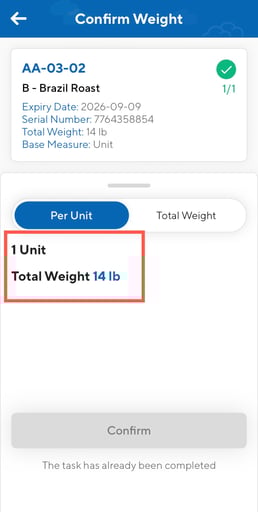
CartonCloud allows users to confirm weights for products that have been set up as Random Weight Product when packing an order on the mobile app.
Random weights
Enabling Random Weight for a Product
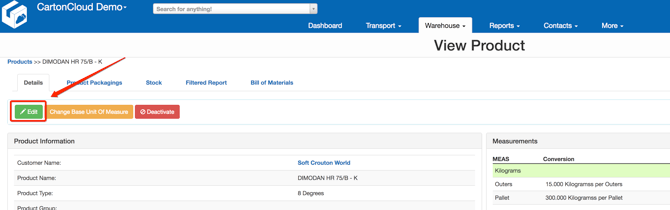
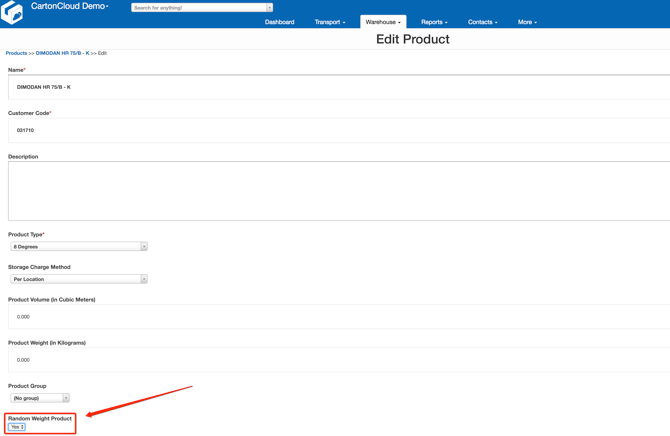
The random weight characteristics have to be enabled on the CartonCloud web app for a product that has random weight to be collected for as part of the packing process.
To access this option, navigate to the product's page on CartonCloud, choose Edit and change Random Weight Product to Yes and save your changes.
Confirming Random Weights
- From the Picking 2.0 mode, select the Sale Order you wish to pack.
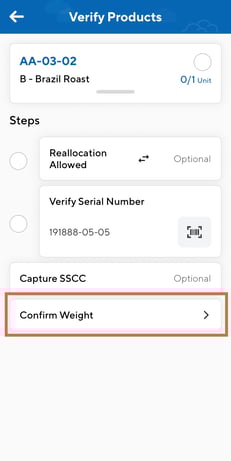
- Select a product line to pack. You will now be on the verify screen. Select Confirm Weight (once other prior steps are complete).
- Enter the individual per unit weight or the total weight.
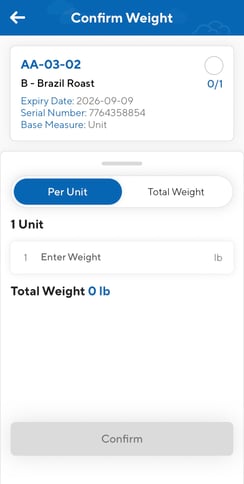
- Once the weight has been entered it will now appear against that product line.