Table of Contents
- Purpose
- Use cases
- Prerequisites
- How to move stock via Scan Move with pallet labels
- Splitting stock using Scan Move
Purpose
Once a pallet has a pallet label you have the ability to move the pallet to different warehouse location or combine pallets by simply scanning the pallet barcode and using Scan Move. This allows you to move stock in bulk rather than having to manually scan and move each item on the pallet, you can conduct the move in one action.
Use cases
- Locating pallets of Purchase Orders into warehouse location during the inbound process
- Moving pallets of stock from one warehouse location to another
- Combining stock from one pallet to another
- Consolidating stock
- Splitting stock onto multiple locations / pallets.
Prerequisites
- Pallets are labelled with pallet barcodes
- See Pallet Handling for steps on how to print and assign pallet barcodes
How to move stock via Scan Move with pallet labels
To warehouse locations
To scan move pallets into a warehouse locations (or from an existing warehouse location into another)
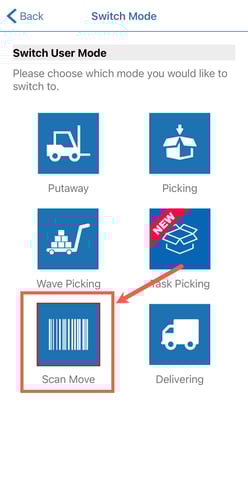
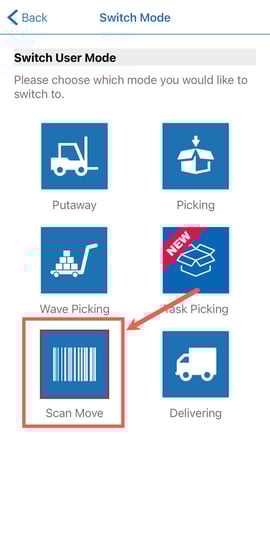
- On the mobile app, select Scan Move.
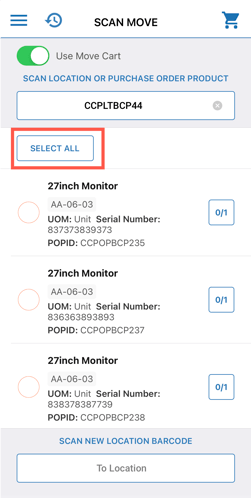
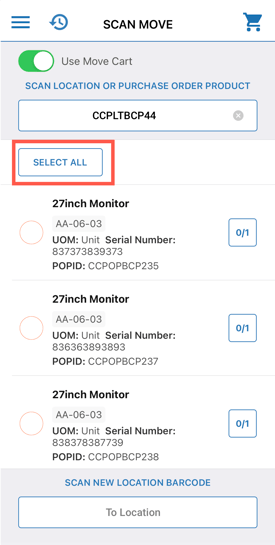
- Scan the pallet label.
- Ensure the Use Move Cart option is enabled.
- Click Select All to move everything on the pallet.
- Scan the new location (twice to confirm).
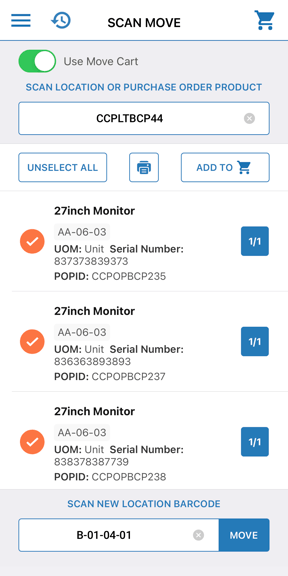
- The pallet and all stock on it has now been moved to the new location.
To pallets
To combine stock from one pallet to another using Scan Move.
- On the mobile app, select Scan Move.
- Scan the pallet label.
- Click Select All to select all products on the pallet.
- Scan the new pallet label twice.
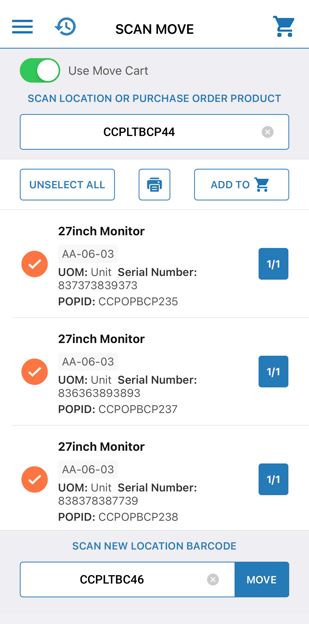
- This has now combined the two pallets into one.
- The old Pallet no longer contains any stock, however, the existing label can still be used if you wish to move stock back onto the pallet.
Splitting stock using Scan Move
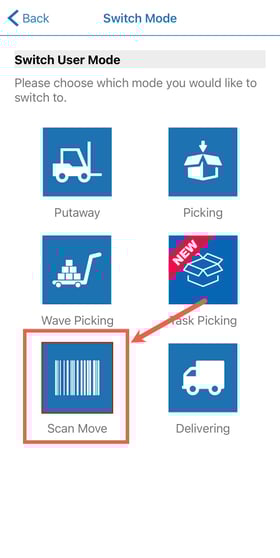
- On the mobile app, select Scan Move.
-
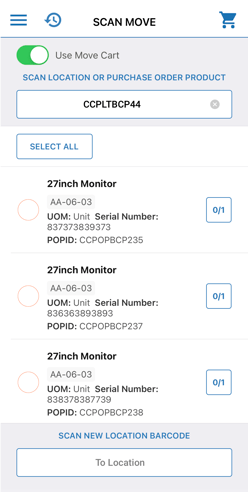
Scan the pallet label of the pallet you wish to split.
-
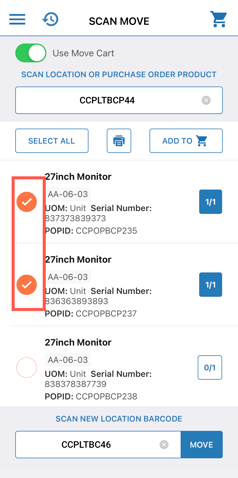
Select the stock on the pallet you wish to move/split and scan the pallet label you wish to move/split the stock to. Double scan to confirm the move.