
When dealing with large Sale Orders that contain many item charges it can sometimes become difficult to work out the break down of charges for specific units of measurement and the quantities associated.
We've built a tool to help make this much easier, the Explain button.
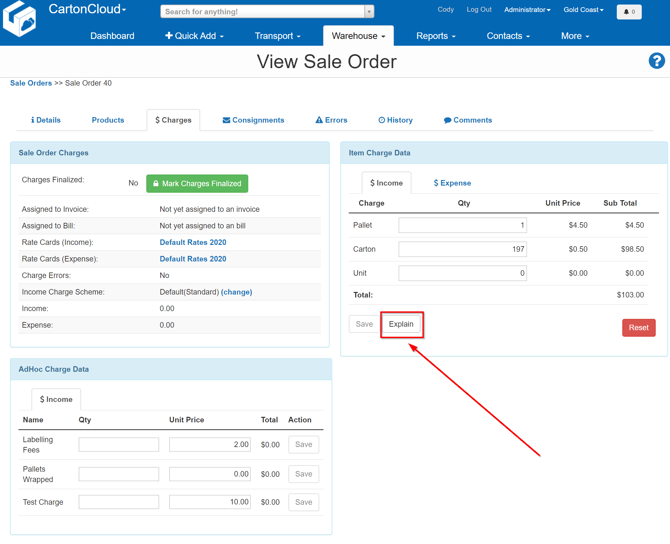
Located on the Charges tab when Viewing a Sale Order, selecting the Explain button will provide you with a breakdown of how Handling Charges are being generated from the Product stock selected.
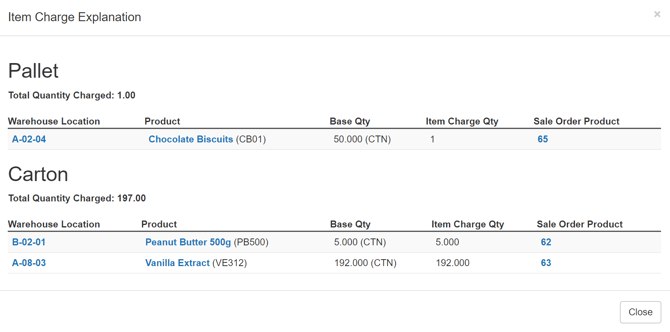
This will allow you to easily troubleshoot when the handling charges generated on a Sale Order aren't what you might have expected.
It's possible after reviewing the break down you may need assistance
Video Overview