Table of Contents
Purpose
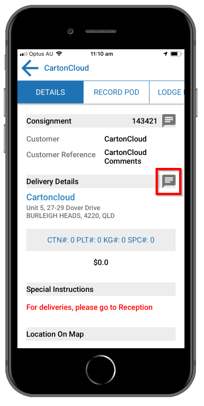
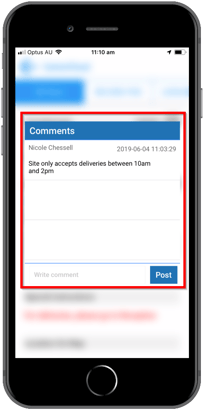
In CartonCloud there are two ways that you can display delivery address instructions:
- Customer-specific instructions for an address
- Driver specific instructions for an address
Customer specific instructions
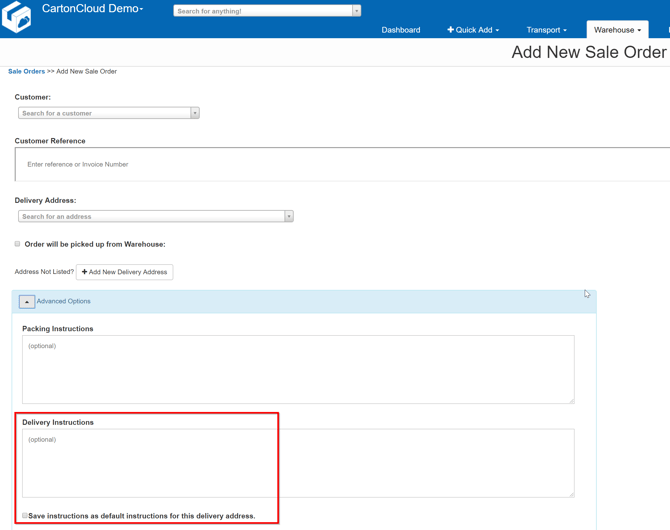
These can be known as "Delivery Instructions" from a Sales Order or "Special Instructions" from a Consignment
Entering Delivery Instructions in the Sale Order
Entering Delivery Instructions in a Consignment
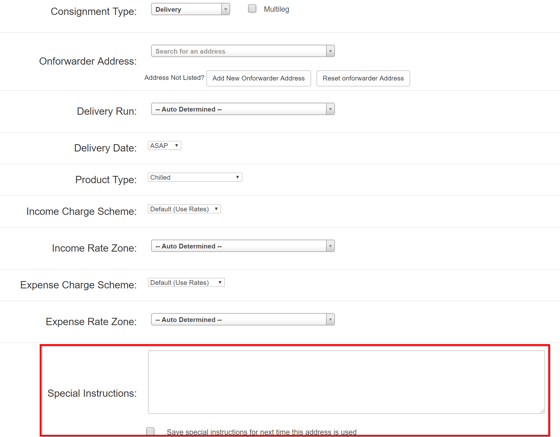
- When entering information in these instruction fields, you have the option to save this data, which will store the details against the address.
- Details entered at the Sale Order entry are then copied across to the Consignment and will appear in the Consignment Note document under "Special Instructions" (Document Templates can be modified easily).
Address Default Instructions
From the Address Default Instructions page in CartonCloud you can create specific address delivery instructions that are automatically populated against the Consignment and Sale Order that uses this delivery address.
- Search For Anything and type "Default Instructions"
- Click on Add Instruction
- You can then enter the details for the Customer / Address and add the required instructions
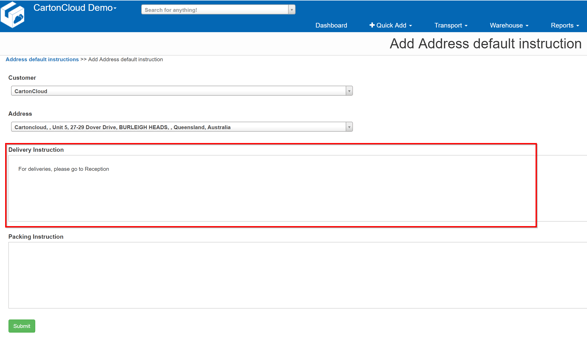
Once submitted, your instructions will be saved for that Customer / Address combination 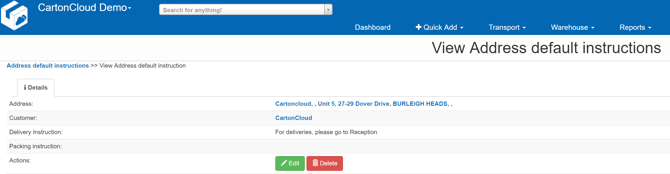
- When you next enter a Sales Order or Consignment for this customer and address, the Delivery Instructions and Special Instructions fields will be automatically populated.
Driver Specific Instructions
These instructions are created within the Address in CartonCloud and are available to the Drivers when viewing the mobile app.
There are two ways that you can enter information for drivers:
- Adding comments to the Address in CartonCloud
- Adding comments to the delivery address in the mobile app
To add a delivery address instruction to an Address using the web app select More in the main menu, followed by Addresses in the drop-down menu.
- Next, search for the address you want to add a comment to.
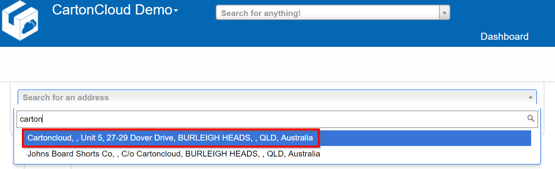
- Within that Address, navigate to the Comments tab.
- Click on Add Comment and type in the information you wish to save.
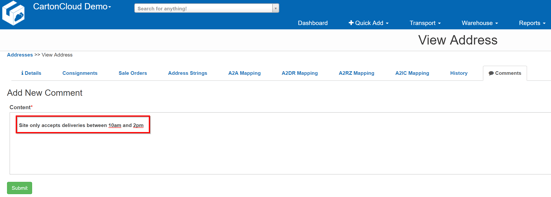
- Then select Submit and the comment will be saved.
- These comments will now be visible to drivers using the mobile app