Table of Contents
Purpose
If you charge your Customers at rates with greater than two decimal places, follow the below instructions to set the precision that suits your needs up to a maximum of 6 decimal places. Currently, CartonCloud supports adjusting the decimal places for handling and storage charges only.
Once you have added more decimal places you can't reduce them, so be sure to set them to the value you need.
Configuration
To configure the decimal place setting, from the menu, select More, then select Organisation Settings.
Navigate to the Invoice tab and then scroll down until you find the Rates section as below. Enter in the number of decimal places you need, then scroll to the bottom of the page and select Save. 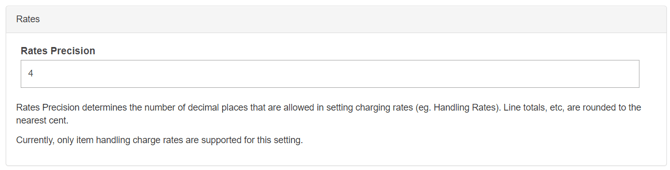
Decimal entry
Once you have saved your setting, then you will be able to see and enter the additional decimal values against your handling inbound and outbound charges or storage charges. These can be found in Rate Cards. Below is a view of the Handling Charge edit screen.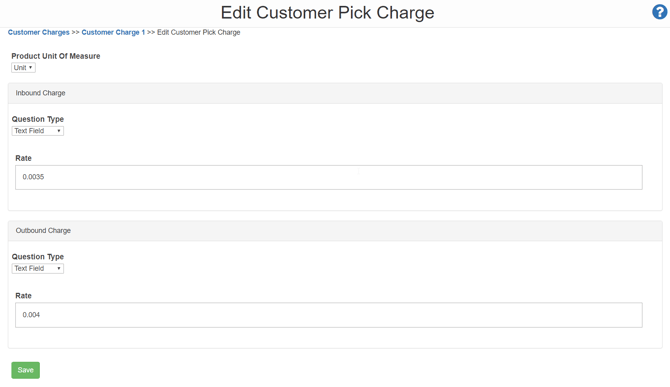
Below you can see the summary of handling charges, displaying the rates to the decimal values set. 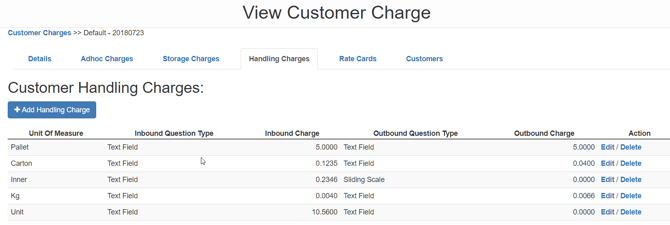
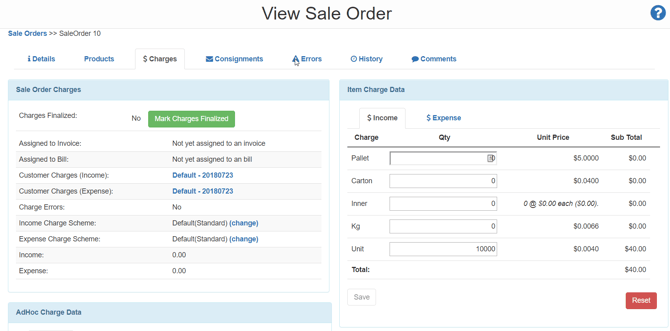
When viewing a Sales Order you can also see the unit rate to the number of decimal places you require. Please note that the calculation will round at the line level.