Table of Contents
Overview
Self-Managed Integrations allow you to create and manage integrations directly within your CartonCloud account.
With the Self-Managed eBay Integration, eBay orders automatically create Sale Orders in CartonCloud. Once the Sale Order is dispatched in CartonCloud, shipment confirmation and consignment tracking details are synced back to eBay (if configured).
You can configure the integration yourself or you can have your customer set the integration up from their CartonCloud login. See How to enable Customers to create their own Self-Managed Integrations.
Prerequisites
-
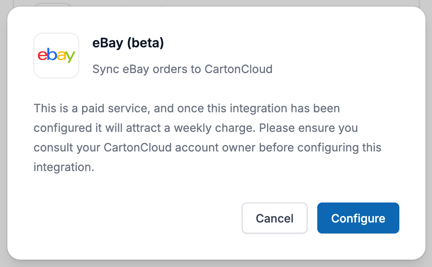
This is a paid integration, please ensure you read the included costs below.
-
Your customer has an eBay account.
-
The SKU in eBay matches the product codes in CartonCloud.
-
The Customer in CartonCloud has access to the Warehouse the eBay orders will be mapped to.
-
If you are a Customer user, you must ensure your CartonCloud account owner has given you permission in your account to create your own Self-Managed Integrations. Please reach out to your account owner for this access.
Key Considerations
-
Warehouse Mapping
The integration provides the ability to map only to a single Warehouse. This means all orders are going to be attempted to be accepted into CartonCloud. -
Carrier Tracking Updates
eBay has strict validation on the carrier tracking details supplied to fulfillment. If tracking information is invalid, the service may retry creating the fulfillment without the tracking information supplied from the CartonCloud consignment. -
Order Change Notifications
eBay does not currently send automatic notifications when orders are updated. The integration identifies new or modified orders by polling the eBay API every 30 minutes. Only orders with a fulfillment status of NOT_STARTED that were either created after the integration was deployed or modified since the last sync will be retrieved.
Cost
We offer volume-based discounts—reach out to our support team here to discuss pricing options.
How to create a Self-Managed eBay Integration
-
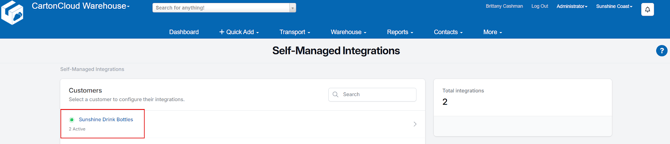
Navigate to the Integrations page by typing in Integrations in the Search for Anything bar or More > Self-Managed Integrations.
-
If an Admin user, select the customer you wish to create the integration for.
-
Select eBay from the Self-Managed Integrations menu selection.
-
Click Configure.
-
The configuration box will now appear, follow the below steps to configure the integration.
(1) Initial Configuration
- Fill in the Name field.
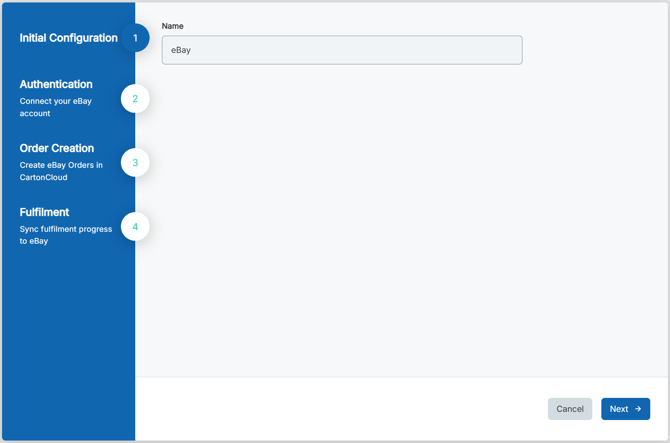
- Click Next.
(2) Authentication
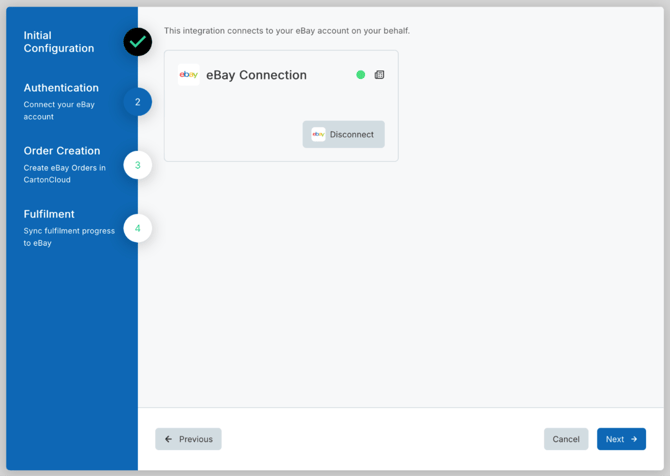
- You will now need to connect CartonCloud to eBay.
- Click Connect.
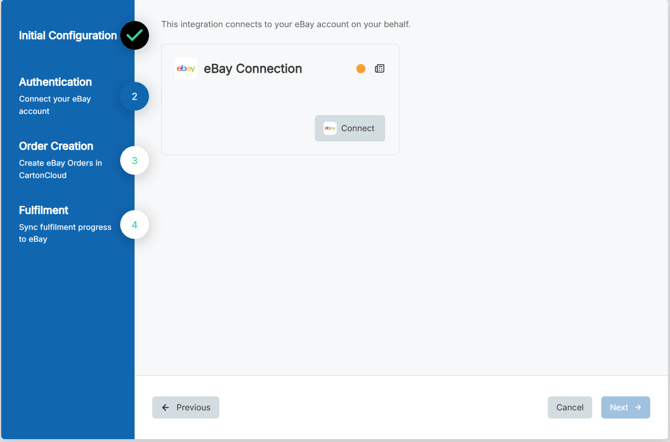
- You will be redirected to eBay to authorize the connection.
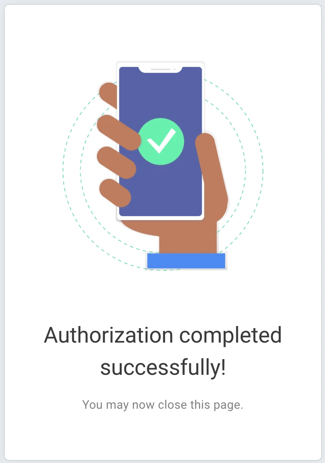
- Once the connection is successful, you will see the below confirmation screen. You can close the page and return to the CartonCloud Self-Managed Integration setup page.
- Click Next.
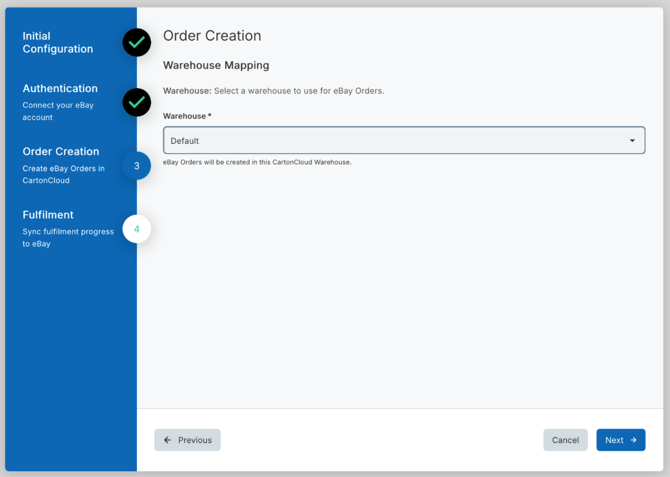
(3) Order Creation
- Here you will need to map which eBay orders will go to which CartonCloud warehouse.
- Click Next.
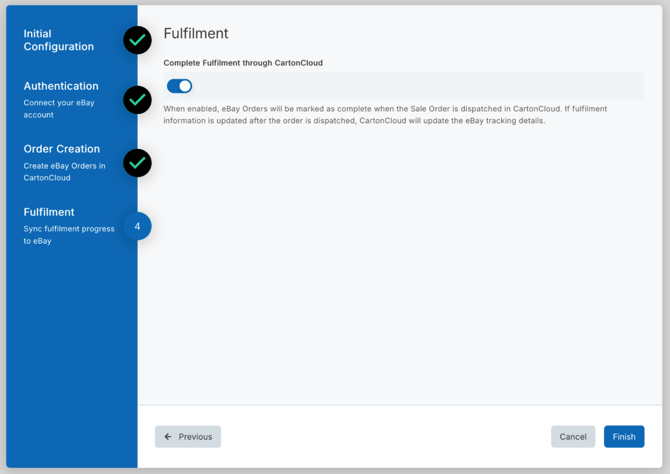
(4) Fulfilment
- Complete Fulfilment through CartonCloud: when enabled, eBay Orders will be marked as complete when the Sale Order is dispatched in CartonCloud.
- If fulfilment information is updated after the order is dispatched, CartonCloud will update the eBay tracking details.
- Click Finish.
eBay Address PII Handling
CartonCloud automatically removes personally identifiable information (PII) from delivery addresses that originate from eBay.
This ensures your integration remains compliant with eBay’s data handling policies.
This functionality only applies to addresses originating from eBay.
When is address information cleared?
CartonCloud removes personal details from eBay addresses once all related activity is complete.
This happens when both order and delivery activity meet the conditions below:
Sale Order Criteria
All sale orders associated with the address must meet at least one of the following:
- The sale order was dispatched 30 or more days ago, or
- The sale order is in a rejected state and was last modified 7 or more days ago
Consignment Criteria
All consignments associated with the address must meet at least one of the following:
- The consignment delivery run date was 30 or more days ago, or
- The consignment is cancelled and was last modified 7 or more days ago
What Address Fields Are Removed?
When PII is cleared, the following fields are permanently removed:
- Contact Name
- Company Name
- Street Address
- Street Address Line 2
- Telephone
- Latitude and Longitude (geocoded coordinates)
Once cleared:
- The address remains inactive
- The address stays hidden from searches
- The data cannot be restored
Disconnecting an existing Self-Managed eBay Integration
If you need to cancel and disconnect the integration you will need to:
- Navigate to the Integrations page.
- Select the relevant Customer.
- Click eBay.
- Select the three-dot configuration icon and select Delete Integration.
- This will remove the integration and stop the billing of the integration to your account.
Editing an existing Self-Managed eBay Integration
To edit an existing Self-Managed eBay Integration:
- Navigate to the Integrations page.
- Select the relevant Customer.
- Click eBay.
- Select Reconfigure.
Managing Self-Managed Integrations
Because Self-Managed Integrations are a paid feature, it is important you are able to manage and keep track of the number of active integrations your customers have. This is useful if you wish to pass on the cost to your customer and reconcile your invoices.
If a Customer has a live integration they will have a green dot icon against their name. It will also display the number of active integrations for that customer below their name.