
Table of Contents
Products in CartonCloud
Products in CartonCloud are not the stock itself but rather the SKU or Product Master. In other words, a Product is a template that store information, characteristics and rules associated with a particular item in your warehouse. You will need to set up products with your 3PL provider / CartonCloud account owner so that when orders are entered the product information is already in the system.
Products are highly customisable, you can select the stock selection method (how the stock is allocated to orders) and the Purchase Order Products (for example, batch number or serial number) and Product Custom Fields (e.g supplier codes or dangerous goods information). Speak to your 3PL provider / CartonCloud account owner about setting these fields up for your account.
Viewing a product
On the Products page, you can find a list of all the Product Masters you have set up with you Warehouse Supplier.
From here by selecting any of the Products you can then view that Product's Information including the Current stock you have stored of that Product within the Warehouse. To do this, select the Stock Tab once you are viewing a product.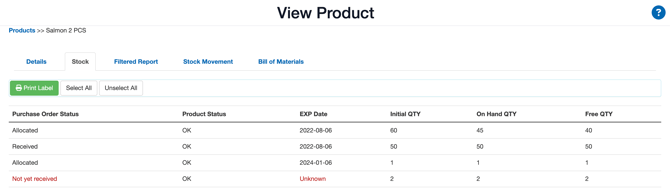
Adding a product
Depending on your account settings (this is determined and set up by your 3PL / CartonCloud account owner), you may have the ability to add your own products directly through the system. Please note that once they are entered the Product record can only be edited by Warehouse Administrators from that point forward.
- Navigate to the Products page, Warehouse > Products.
- Select +Add Product.
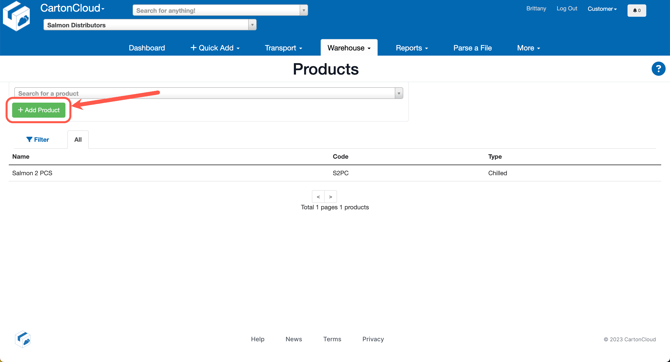
- Fill in the fields to create the Product and use the field descriptions on this page to assist you.
- Click Save.