
Table of Contents
Overview
If you are using Bulk Allocation, there are a number of Bulk Allocation Configuration Settings you can utilise to customise your Bulk Allocation workflow. One setting includes Override Consignment Delivery Run defaulted to yes. With this setting selected, the 'Override Consignment Delivery Run' option will be ticked by default on certain allocation screens within CartonCloud, however, you can still unselect the 'Override Consignments Delivery Run' option on an individual screen level
Navigating to the setting
-
Navigate to Organisation Settings, More>Organisation Settings.
-
Select the Features & Options tab and scroll down to Bulk Allocation Configuration.

Current Behaviour
With the 'Default 'Override Consignments Delivery Run' checkbox to checked on Bulk Allocation and Move Consignments Screens' selected:
-
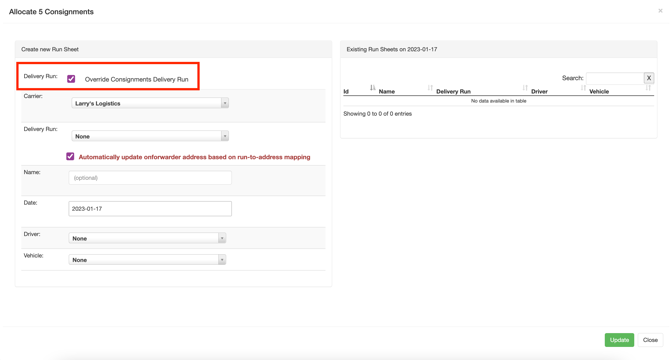
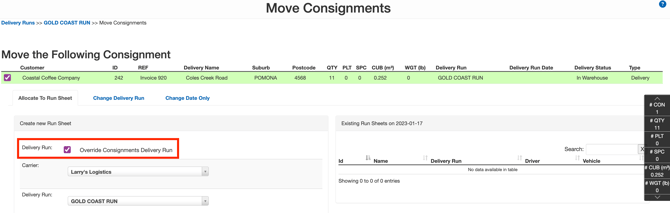
'Override Consignments Delivery Run' will be checked by default on the Bulk Allocation and Move Consignments Screen
-
You can choose to unselect the 'Override Consignments Delivery Run' option on the individual screen when performing the allocation
Bulk Allocation Screen
Move Consignment Screen
New Behaviour
As a part of an upcoming release, we will be updating this setting so that you can ensure the 'Override Consignments Delivery Run' checkbox is ticked by default on the Bulk Allocation screen, the Move Consignments screen, and the Edit Run Sheet screen.
With the 'Default "Override Consignments' Delivery Run" to checked selected:
-
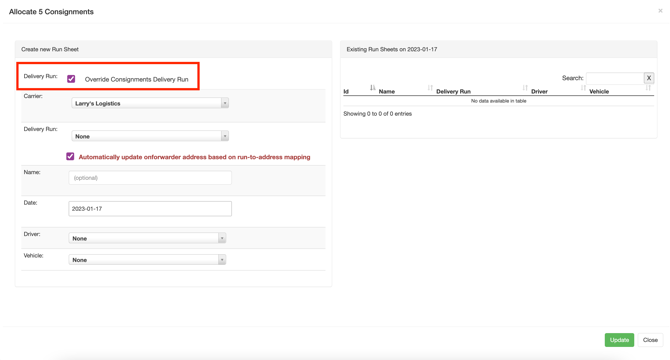
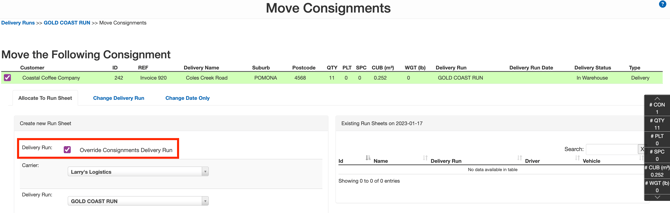
'Override Consignments Delivery Run' will be checked by default on the Bulk Allocation, Move Consignments and Edit Run Sheet screen
-
You can choose to unselect the 'Override Consignments Delivery Run' option on the individual screen when performing the allocation
Bulk Allocation Screen
Move Consignment Screen
Edit Run Sheet Screen
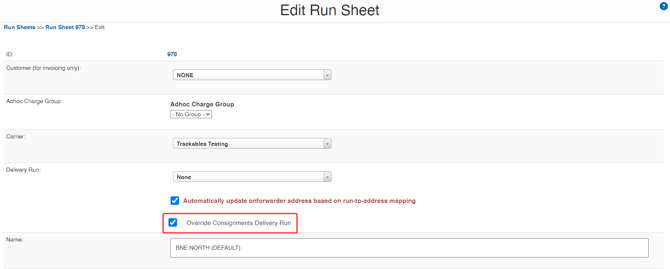
Note that if you have this setting ticked in your Organisation Settings, it will stay ticked with the new release, and will now cause the Edit Run Sheet screen to default to checked too.