
Table of Contents
Add a product type
- Type 'Product Types' into the Search for anything bar.
- Select +Add Product Type.
- Then complete the fields on the page. A description of the fields is provided below.
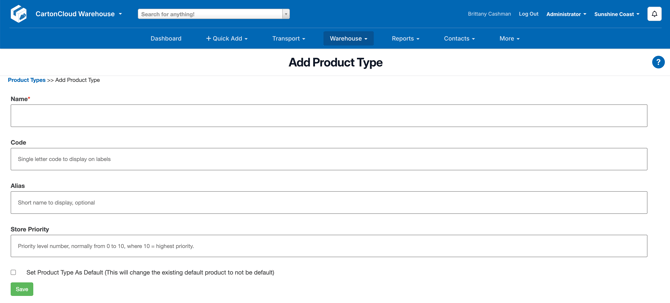
| Field | Description |
| Name | The full name of the product type. |
| Code | The code you would like to display on labels for items with this product type. |
| Alias | A shorter name to display |
|
Store Priority |
This field affects what Product Type pushes through to a Consignment when creating it from a Sale Order. As Consignments can only have one Product type, in the scenario where you have both Chilled and General freight going together, you would likely want to give Chilled a higher priority, so all the freight then travels in a chilled vehicle. |
|
Set Product Type as Default |
Will set all new products created to have this product type. Only one product type will ever be ticked with this setting. |
- Select Save.
View Product Type
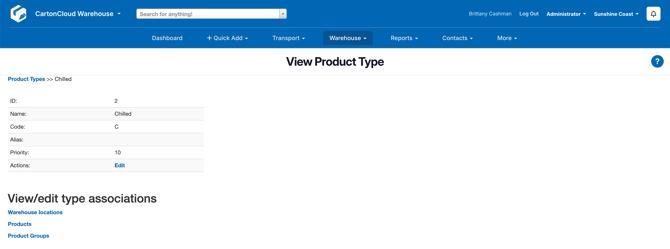
- To view a product type, in the Product Types page, select View.
- From here you can view/edit warehouse locations, products and product group associations.
Edit Product Type
- Select Edit against the Product Type.
If you need to update the name of a Product Type you can do so, however, it will change the name of the Product Type for existing products using the Product Type.