
Table of Contents
What is pick tolerance
If you have Random Weight set up against a Product, the weight of each unit being picked will need to be recorded. For example, when packing cartons of meat, each carton is a slightly different weight and the customer charges per kilogram; therefore, you need to record the weight when picking the product.
With Random Weight enabled for a product, you can select a Pick Tolerance. This is a percentage of tolerance for the weight being picked. The acceptable tolerance is between the weight being picked and the weight requested on the Sale Order. For example, if the Sale Order says 3kg of Pork Strips and you have a Pick Tolerance of 10%, the picker can pick between 2.7 - 3.3 kgs, as that is 10% less or more than what has been requested against the order.
How to set the pick tolerance
The Pick Tolerance is set up against the Customer; therefore, you can have different pick tolerances for each customer.
To set a Pick Tolerance:
- Navigate to the Customers page, Users>Customers.
- Select the Customer you wish to set a Pick Tolerance for.
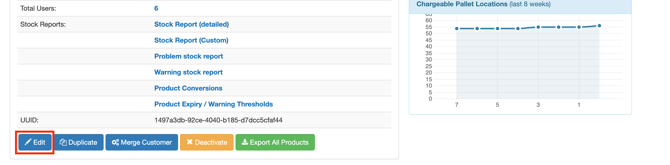
- Scroll down to the bottom of the page and click Edit against the Customer.
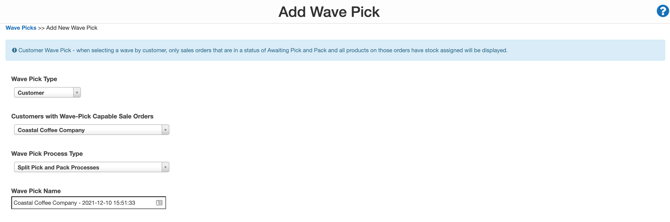
- Select the Warehouse Management tab and then the Sale Order tab.
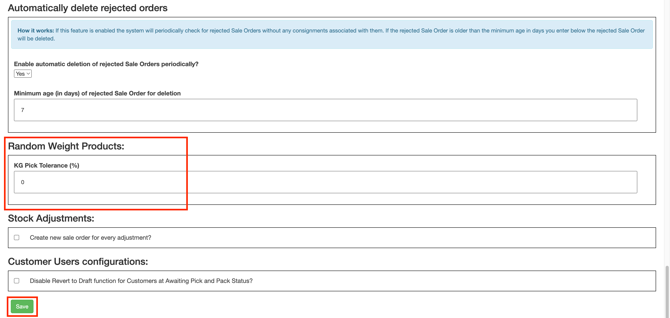
- Scroll down to Random Weight Products and enter the Pick Tolerance percentage.
- Select Save.
Benefits of using pick tolerance with random weight products
- Provides guidelines for your pickers who are picking Random Weight Products
- Able to better meet customer expectations by ensuring pickers are picking within the correct weight ranges
- It gives your customer the option of having a pick tolerance and what the tolerance is
- Allows you to set customer expectations on how orders will be picked
- Reduces the time picking the product as pickers do not need to pick by an exact amount but rather just within the pick tolerance