
Table of Contents
Purpose
To manually add items to an Invoice.
How to add consignments, sale orders, purchase orders or manifests to an invoice
- Navigate to the Invoices page, More>Invoices.
- Select the relevant Invoice.
- Select the tab associated with the item you wish to add to the Invoice.
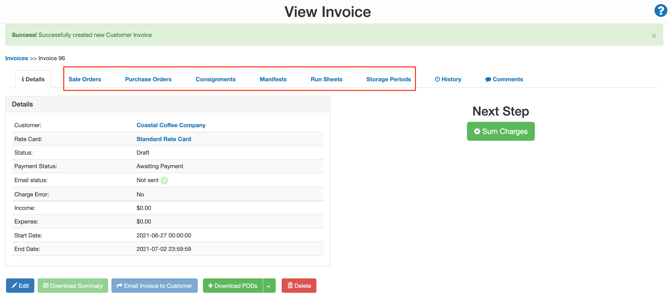
- Within the selected tab, select Add Sale Orders (or the item's name associated with the tab you are in).
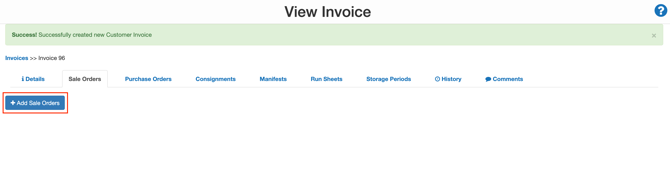
- You will now see all the Sale Orders relating to the customer of the invoice that has not been invoiced.
- Select the Sale Orders you wish to add to the invoice.
- Select +Add to selection.
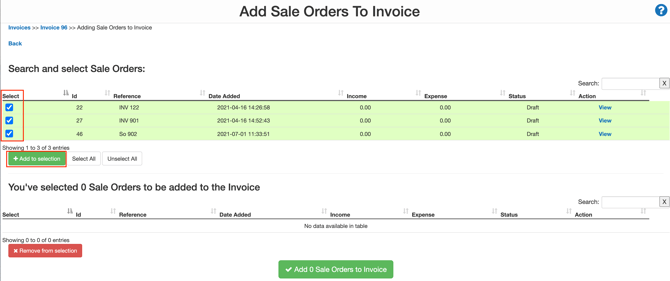
- The Sale Orders will then appear on the bottom selection screen.
- Select the Sale Orders with the check box from the selection screen.
- Select Add 2 Sale Orders to Invoice.
