
Table of Contents
What is a Manifest
A Manifest in CartonCloud is a grouping of Consignments that are moving together on a single date. When adding your Consignments you have the option of adding it to a Manifest. This is useful if you have a number of Consignments moving on the same day. For example, if you require a group of Consignments to be picked up from your warehouse before going out for delivery you would be able to create one Manifest with all of these Consignments on it. Once you have added all of the required Consignments to the Manifest you need to approve or finalise the Manifest. When you finalise the Manifest it will be made available to your 3PL/CartonCloud account owner.
How to Finalise a Manifest
- Navigate to the Manifests page, Transport > Manifests.

- To check if you have an Manifests to finalise, click the Draft tab.
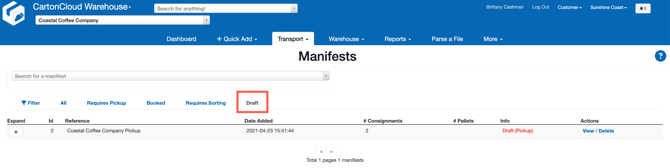
- You will see any Manifests that need to be finalised here.
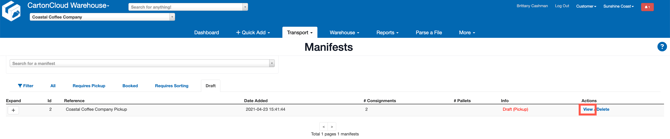
- Click View against the Manifest.
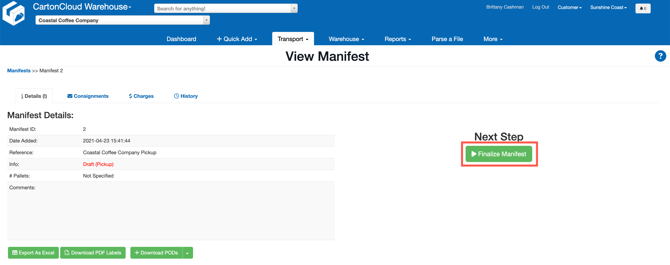
- Check all Consignments and Manifest details are correct and click Finalize Manifest.
How to make changes after finalizing a manifest
If you need to make changes to the Manifest after finalising it, you will need to contact your CartonCloud account owner/3PL, they will need to make the changes themselves or revert the order to a Draft status so that you can make changes.