Table of Contents
Purpose
By default when a consignment is entered into CartonCloud the Length, Width and Height of the Consignment's items are optional fields to be recorded.
However, some operations which rely on the dimensions for charging or allocating consignments may wish to make it required for all consignments to be entered with Length, Width and Height provided for all items.
This article will show you how to enforce dimensions to be required when a Consignment item is added to a Consignment.
Modifying the custom fields
- To begin, type and select "Custom Fields" in Search for Anything! to navigate to the page.
- Once on the Custom Fields page, select the Consignment Item tab.
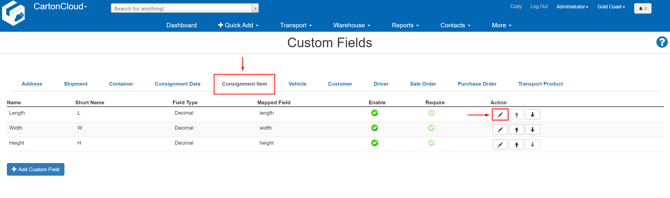
Then for each of the dimension fields named Length, Width, and Height that you wish to set as required complete the following:
- Select the pencil button to edit the Custom Field.
- Enable the required setting within that custom field.
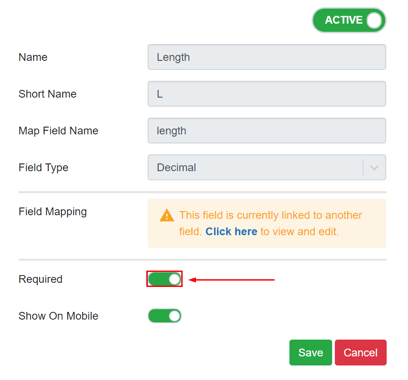
- Select Save
How the changes will affect booking a Consignment
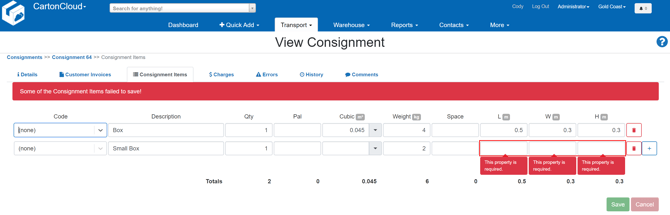
- Now that the dimension fields are set as required if a user attempts to enter a Consignment item into a Consignment they will not be able to save the item line until the Length, Width and Height fields are populated.
- An example of the warning that will be displayed is shown below.