Table of Contents
Purpose
There may be some cases where you need to zero out charges on an order and have $0 charges against it.
Steps to zero out charges against an order
The charges you will need to zero out on the order include:
- Item Charge (not for Consignments)
- Adhoc Charge
- Charges

To zero out the charges:
- Navigate to the order you need to zero out charges on.
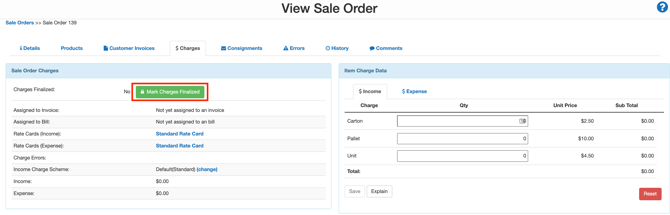
- Select the Charges tab.
- Zero out any charges for the Item Charge Data and select Save. Repeat this process for the Adhoc Charge Data table.

- Scroll down to the Charges table and select Automatically Calculate Income Charges.
- Click on the individual charge.

- Click the red Delete button.

- Repeat this process for all charges.
- Click Mark Charges Finalized. This will add the order to the Invoice with no charges against the order.