
Table of Contents
Purpose
To delete a storage period and not charge your customer for it.
Please note, that this process can be applied to Sale Orders, Purchase Orders and Consignments if you need to void the charges for a particular order.
Use cases
If you wish to not charge your customer storage for a certain period.
How To Steps
- Navigate to the invoice that the storage period you want to delete is currently associated with, More>Invoices>Select the relevant invoice.
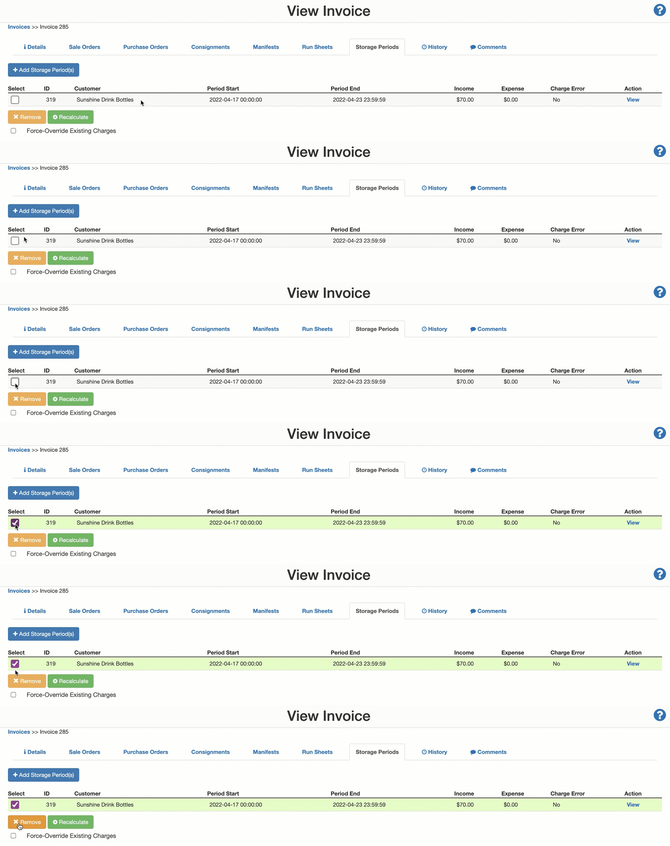
- Select the Storage Periods tab.
- Check the tick box against the Storage Periods you wish to delete.
- Click the X Remove button.
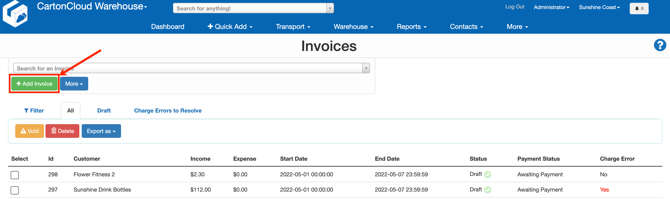
- Navigate back to the Invoice page.
- Click +Add Invoice.
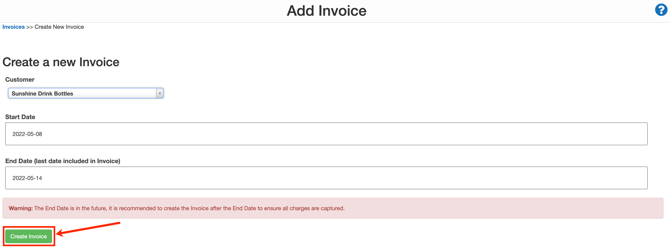
- Select the Customer associated with the Storage Period you deleted in the first step.
- Click Create Invoice.
- Select the Storage Periods tab on the new invoice.
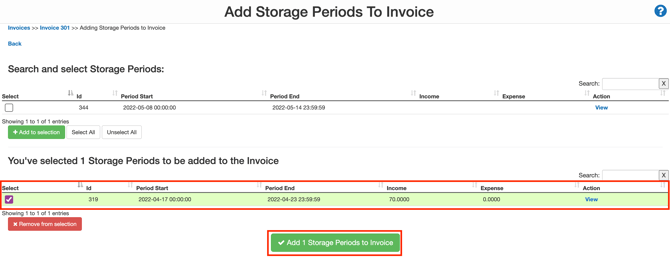
- Select +Add Storage Period(s).

- Check the tick box against the Storage Period you initially deleted.
- Click + Add to selection.
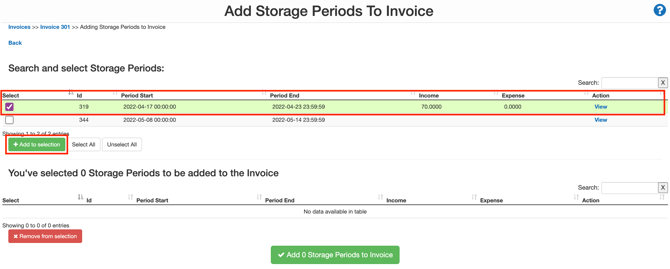
- Check the tick box against the Storage period in the bottom selection pane.
- Click Add 1 Storage Periods to Invoice.
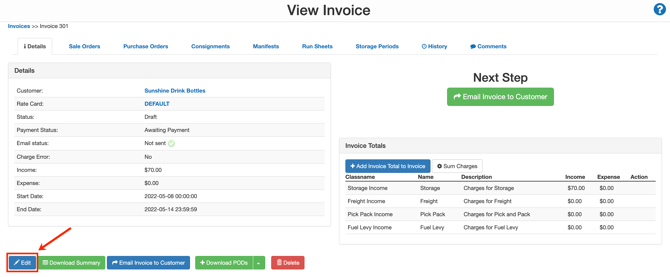
- You will now need to void the invoice. To do so, click Edit.
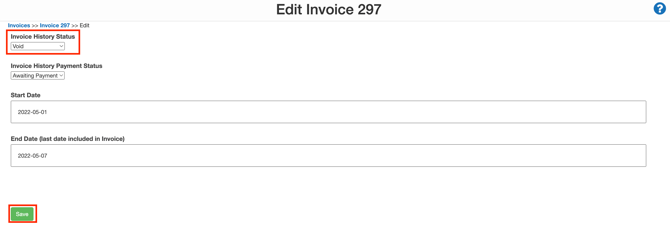
- Update the Invoice History Status to Void.
- Click Save.
- The storage periods will not appear on any future invoices.