Table of Contents
Purpose
This is a guide to extracting Sale from MYOB for import to CartonCloud through a Parser.
How to steps
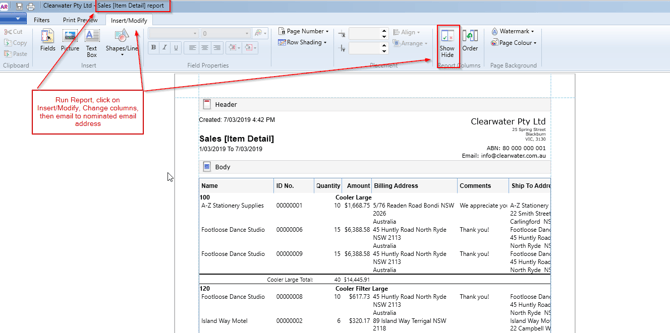
We can easily import your sales orders from MYOB through a parser. To do this you can run an MYOB report, add additional columns to the report, then email it to the nominated parser email address.
Make sure you run the report 'Sales Item Detail Report'.
Click on the Insert/Modify Tab, then click on the Show/Hide button.
This will allow you to add the appropriate fields to the report.
Refresh report.
Then email the report to the nominated email address e.g. Sales_Order_Clearwater+Tenant_Name@in.cartoncloud.com.au