
Table of Contents
Purpose
To record unique references (for example, Serial number) against stock that is already in a warehouse. This process is useful when you first start to use the unique reference scanning in your operations and you need to record references against existing stock.
Prerequisites
You need to have set up your unique references (Purchase Order Product Custom Fields) against the stock you wish to record the reference for. Please see Purchase Order (inbound) unique reference scanning for more information.
How to record unique references against stock in the warehouse
- On the mobile app, select Scan Move.
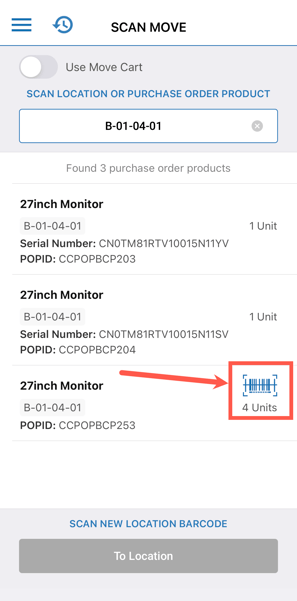
- Scan the location the stock is in that you wish to record the unique reference against.
- Ensure the Move Cart is turned off.
- If a product is set up correctly for unique references and there is no unique reference recorded against it, you will see a barcode icon against the item.
- Select the barcode icon.
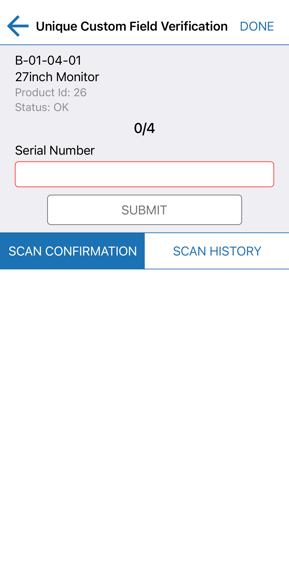
- Scan or manually record the unique reference against the item and select Done.