
Table of Contents
Purpose
To be able to remove a Purchase Order/Sale Order/Consignment from an invoice and add it to a different one.
Steps
The below steps are the same if you are moving a Purchase Order, Sale Order or Consignment. In the below example, we will use a Purchase Order.
Remove the order from its existing invoice
-
Navigate to the order you wish to move.
-
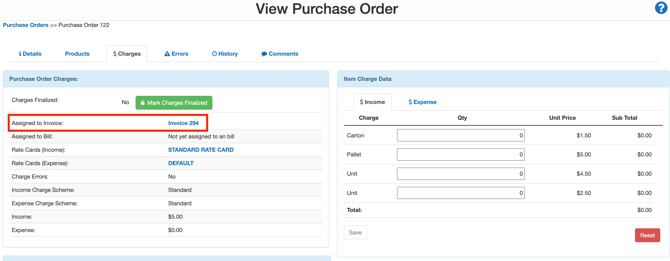
Select the Charges tab, and next to Assigned to Invoice, select the invoice reference hyperlink.
-
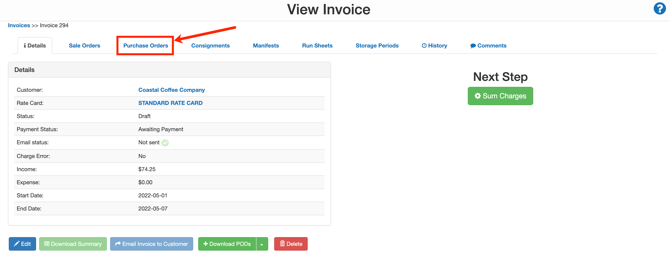
Select the tab related to the order (for a Purchase Order, select the Purchase Orders tab).
-
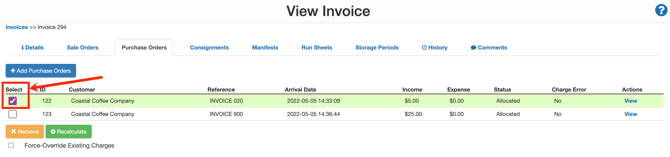
Use the select tick box option to select the relevant Purchase Order.
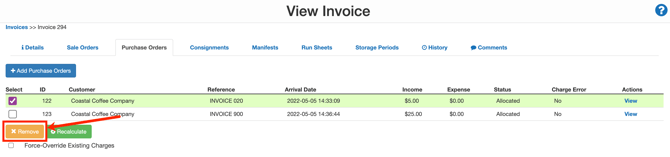
- Select the yellow Remove button.
Add the order to the new invoice
-
Navigate to the relevant Invoice you would like to move the order to, More>Invoices.
-
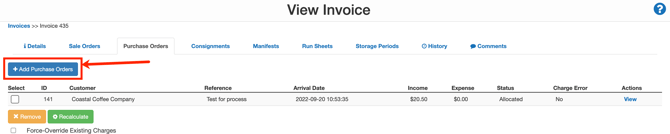
Select the relevant tab (for a Purchase Order, select the Purchase Order tab).
-
Select +Add Purchase Orders.
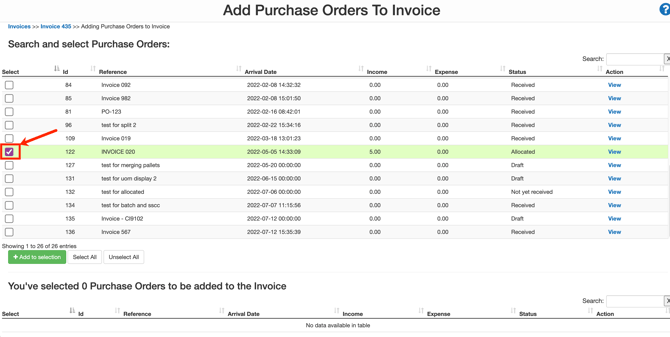
- Select the tick box against the orders you wish to add to the invoice.
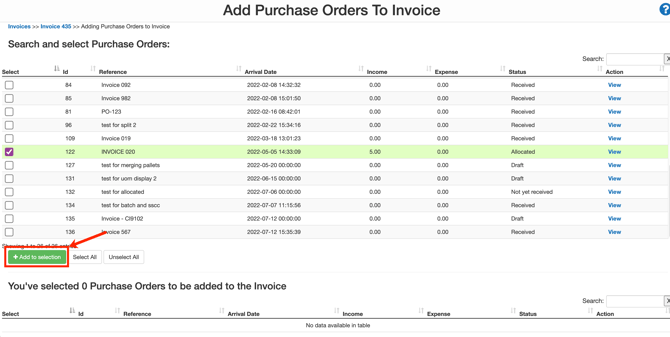
- Click +Add to selection.
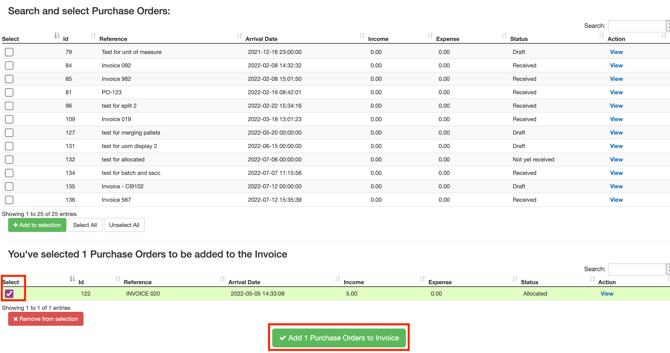
- The order will move into the section below. Click the select box again and then click Add Purchase Orders to Invoice.
-
The order will now be on the new invoice.