
Table of Contents
Dock Management is a paid CartonCloud application. Contact the CartonCloud support team for pricing and access.
Purpose
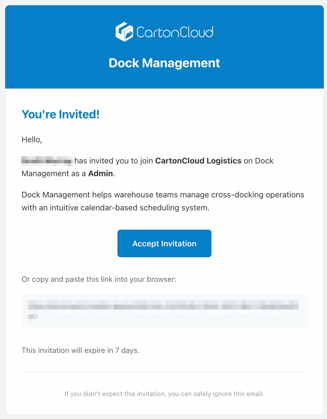
Your dock management workspace is invite-only. An administrator at your organisation sends invites from Settings → Users, and you'll receive an email with a personal invite link.
Accepting your invite
- Open the invite email and click Accept invite. You'll land on the sign-in page with your organisation's name shown, confirming you're joining the right workspace.
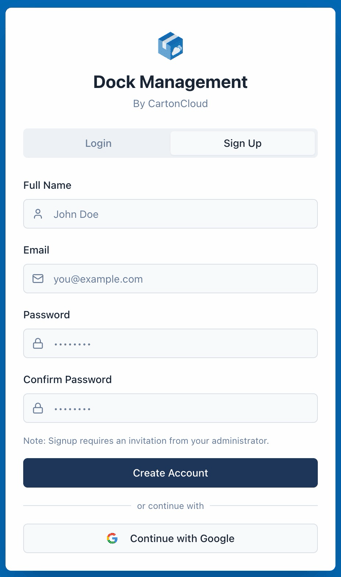
- Create your account using the email address the invite was sent to. You can sign up with a password or use Google sign-in.
- Once you're in, you'll land on the calendar — the home screen for everything that happens at your docks.
Your role
Your administrator assigned you one of three roles when they invited you:
|
Role |
What you can do |
|---|---|
|
Viewer |
See the calendar, bookings, and the Today board |
|
Operator |
Everything a viewer can, plus create, edit, and check in bookings |
|
Admin |
Everything an operator can, plus settings: warehouses, docks, working hours, carriers, users, and integrations |
If something in this guide isn't visible to you, it's likely a permissions difference — ask your admin.
Didn't get the email?
Check spam first, then ask your admin to re-send the invite from Settings → Users. Invites are tied to your exact email address, so make sure they used the right one.