
Table of Contents
What is a Driver?
A Driver in CartonCloud had access to the mobile app to complete deliveries and the web app to view their assigned Consignments and Run Sheets.
How to create a Driver
To create a new Driver follow the Setting up Drivers in CartonCloud article.
Driver List View
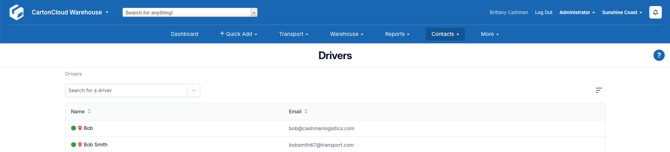
The Driver's page provides a full list of all active drivers within your Organisation. An active driver is a driver that has had a Consignment allocated to them during that week (including deleted ones).
From the Driver's page you can see which drivers are currently online (indicated by a green or red circle next to their name) and if they have location services enabled (indicated by a green or red pin next to their name).
View Driver
By selecting a driver you are able to view and edit that Driver's details. The below describes what options and features are available from each tab on the View Driver screen.
Details Tab
To view the relevant details of the Driver, including:
- Driver: the driver's name.
- Email: the driver's email.
- Online: if the driver is online.
- Location Access Available: If the driver had enabled location access.
Run Sheets Tab
The Run Sheets assigned to the Driver.
You can email the Run Sheets to the Driver using the Email Run Sheets to Driver button.
Cash On Deliveries Tab
The Cash on Deliveries associated with the Driver.
Consignments & Statistics Tab
The Consignments assigned with the Driver.
The statistics for the Driver are summarised in a table showing the Total Consignments, Total Completed and Total Incomplete.
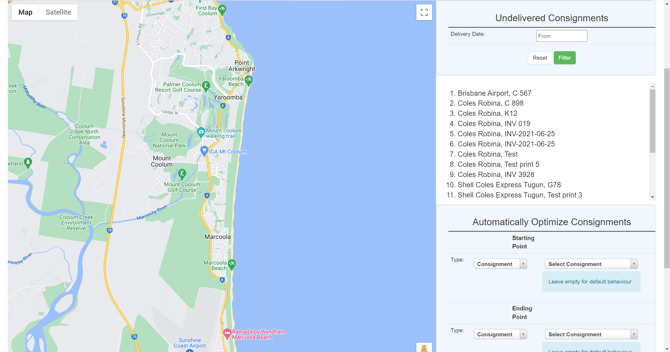
Optimise Map
Optimise the route of the driver according to the Consignments allocated to the driver.
Location History
The location history of the driver.