Table of Contents
Notifications tab
An option for customers to access POD's is via the FTP Download option - this will send a copy of POD's as they are completed to the nominated FTP Server where customers can access them from that point. To configure this go to Customers - > then find the correct customer and use Edit to bring up the edit screen where you will find the FTP tab option.
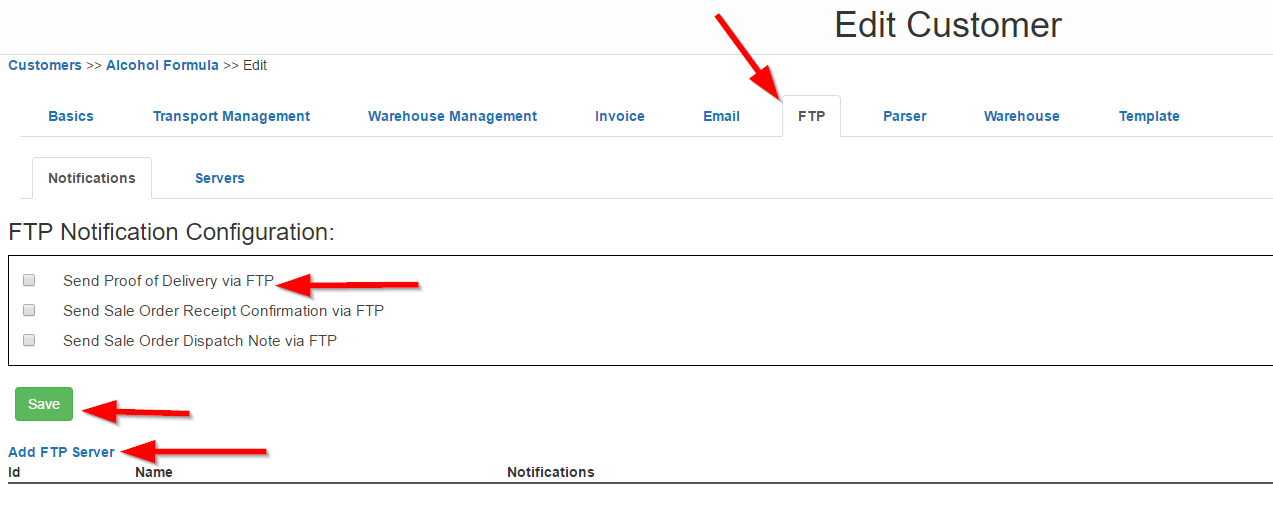
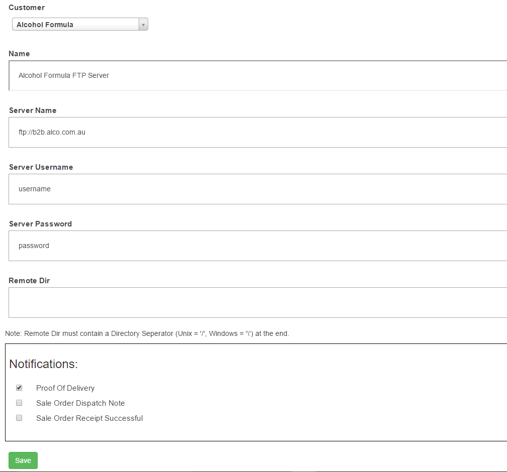
Now tick the box for the POD's or Sale Order Receipts as appropriate for what you want to send. Then hit Save and navigate to this screen again, now select Add FTP Server. Complete with the details as noted in this screen based upon the FTP settings that the customer wants the files to be sent to. Note: Directory is not required and the Name is for you to simply name this FTP Server for ease of use, this is not to do with the FTP server itself. Then hit Save when ready and it will now be active and send new PODs to this FTP Server.