
Table of Contents
PurposeIn CartonCloud, Bills are generated on a per supplier basis. There are two ways these can be created, manually or automatic.
For automatic bills generation, see Creating Bills (Automatic).
How to steps
- Navigate to More > Bills
- On the Bills page, click the Add Bill button at the top left corner of the page.
- Select the Supplier, Start Date and End Date.
- Click Create Bill.
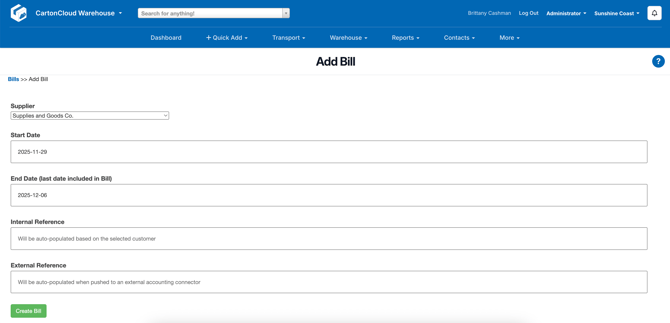
- Add Consignments to the bill. Refer to Add Consignments to Bill
As soon as the consignments are added to the bill, Expense charges will be calculated for the consignments. If there are any issues with the calculations, charge errors will be lodged against each consignment. These errors need to be resolved before continuing to next step.
- In order to calculate the totals for the Bill, click on the Calculate Bill Totals button. This will calculate the totals of the bill based on consignment charges and other factors that are enabled in the Tenants' and respective customer's settings.