Table of Contents
Purpose
To create Wave Picks from the mobile app.
Pre-requisites
- The user must have a Packer role.
- To create the Wave Pick a Wave Pick Template needs to be created first.
Steps
Before being able to create a Wave Pick on the mobile app you will need to first create a Wave Pick Template to select from.
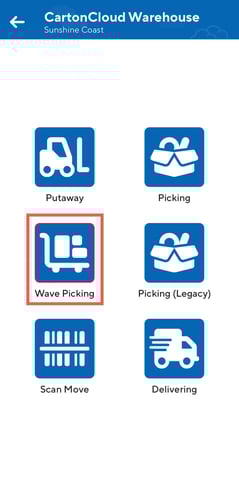
- On the mobile app from the switch mode screen select Wave Picking.
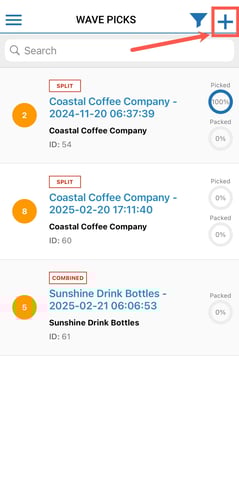
- Select the plus icon in the top right to add a Wave Pick.
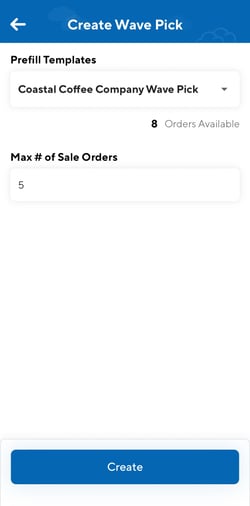
- Select a Prefill Template from the drop-down menu. You will be able to see all of the Wave Pick Templates you have created.
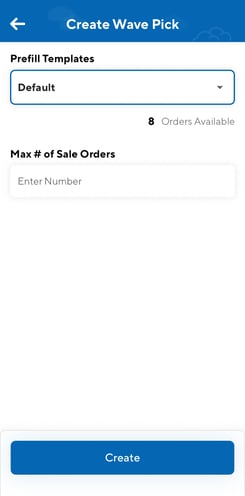
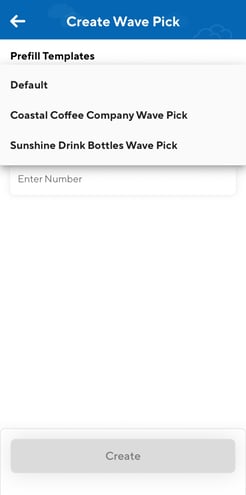
- Type in the Max# of Sale Orders.
- Select Create.
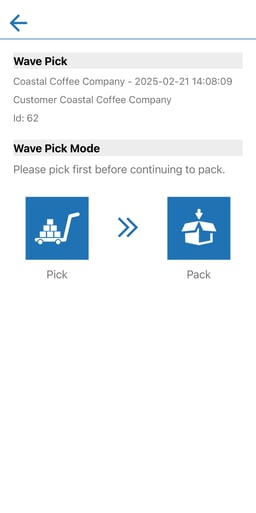
- You will then be taken straight into the Wave Pick to start picking.