
Table of Contents
Purpose
By default, every Consignment which is created from a Sale Order will have the Pickup Address set to the Warehouses address. This address is configured underneath the Warehouse setting when you navigate to the "Warehouses" page through Search for anything, then select a Warehouse to edit (shown below).
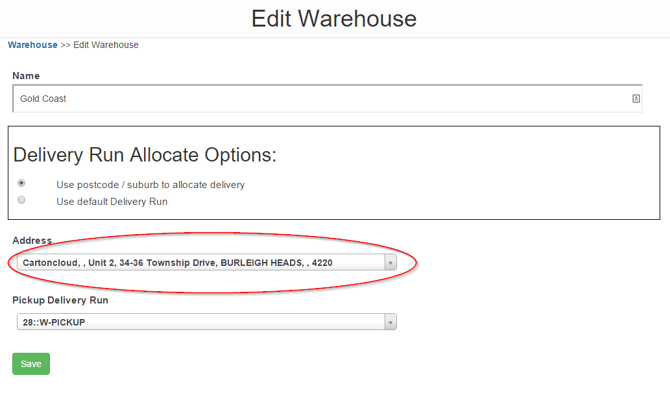
However, if you want to have specific Pickup Addresses for each of your customers, you can set this up within the Customer Configuration.
Step by step guide
To begin, select Contacts on the main menu, followed by Customers in the drop-down menu.
On the Customers page, select the Customer you wish to set up a specific Ex-Warehouse address for.
Then on the View Customer page, select Edit.
On the Edit Customer Page, select the 'Warehouse Management tab followed by the Sale Order sub-tab. Then Scroll Down until reaching the Consignment section.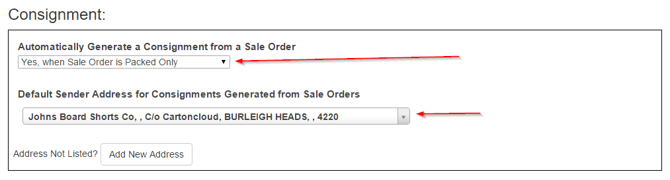
From here you can change the Default Sender Address for Consignments Generated from Sale Orders.
Once completed, scroll to the bottom and select Save.