
Table of Contents
Purpose
From the View Service Days page, it is possible to check the delivery schedule your Transport or Warehousing provider has set up going to a particular delivery zone (suburb & postcode). This is particularly useful for Transport providers who go to rural areas and therefore only service an area on certain days of the week.
Please note that by default delivery schedules will show every day as an active delivery day, so this page is only relevant if your provider has elected to use this feature.
How to view Service Days on a Delivery Run
- To check the schedule to a specific suburb, search for it in the search bar.

- Once found, select it and the service days will appear.
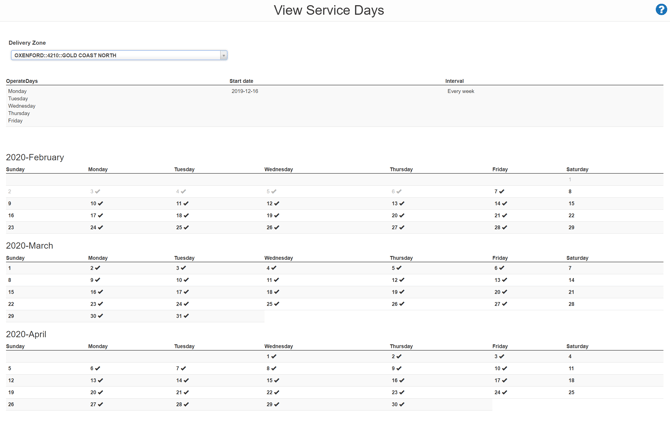
- In the example provided, the suburb has not been configured, therefore all days are showing as active during workdays.
- Active Service days are represented by a tick next to the date.