Table of Contents
Purpose
To change the delivered date on a Consignment. This is useful if the original delivered date on the Consignment is incorrect or there were errors when recording the POD.
How to change the delivered date on a consignment
- Navigate to the relevant Consignment, Transport>Consignments>Select the relevant Consignment.
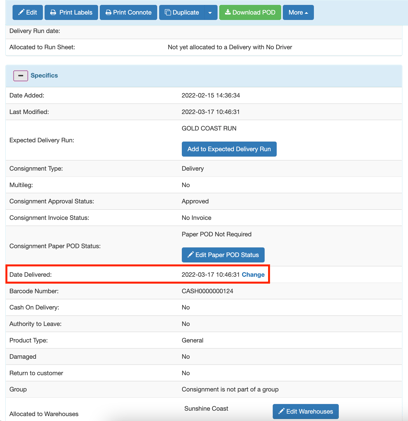
- Scroll down to the Specifics heading and click the plus icon to open up more options.
- Scroll down to the Date Delivered within the Specifics window and click Change.
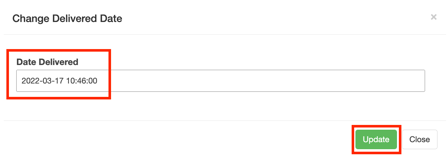
- Enter the new Date Delivered.
- Click Update.