
Table of Contents
Purpose
The Bulk Export Purchase Order page allows you to export a CSV spreadsheet from CartonCloud containing all data associated with your Purchase Orders which were either added or arrived over a specified date period.
Each Purchase Order Product record on a Purchase Order will generate a new row on the report.
How to generate the Bulk Export Purchase Orders Report
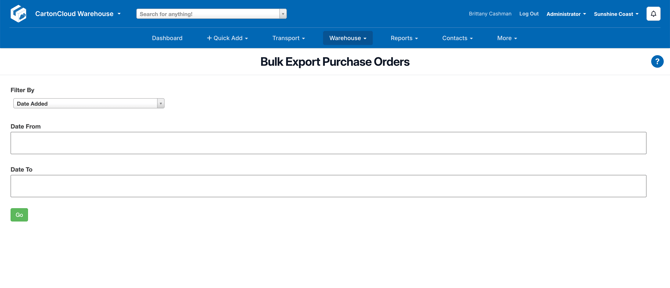
- Navigate to Reports > Bulk Export Purchase Orders.
- Choose whether to use the date the Purchase Order was added to the system or the date the Purchase Order arrived into the Warehouse as the filter.
- Then choose the beginning and ending dates for the report to run.
- Select Go and the CSV file will be downloaded.
Report Fields
The generated report will contain the following fields for each Purchase Order Product line:
-
id
-
customer
-
customer_reference
-
status
-
date_added
-
last_modifed
-
arrival_date
-
adjustment
-
invoice_id
-
income
-
expense
-
warehouse
-
charge_scheme
-
value
-
order_urgent
-
customer_urgent
-
Chilled Temperature
-
Dry Temperature
-
Frozen Temperature
-
purchase_order_product_id
-
customer_code
-
date_allocated
-
date_depleted
-
product_name
-
product_type
-
product_status
-
warehouse_location
-
pallet_id
-
product_unit_of_measure
-
unit_quantity_inital
-
unit_quantity_onhand
-
unit_quantity_free
-
expiry_date
-
custom_field 1 to 10
-
pop_custom_field 1 to 10