Table of Contents
Purpose
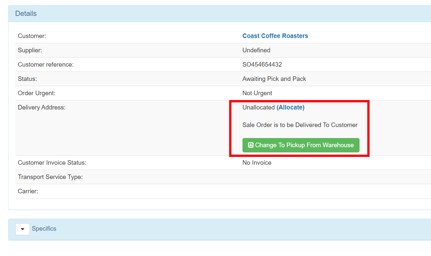
It is possible when importing orders using a parser or integration that the new order will be created without an address record appearing. Instead, the address will simply show as Unallocated. An example of this can be seen below. This most commonly occurs when the address used on the import file is missing key address fields such as Suburb or Postcode, or they are misspelt.
The Solution - Assigning the Address String
- To assign the address string to an address record, while viewing the Sale order, select the Allocate link. You will be taken to the Allocate tab of the address string's page.
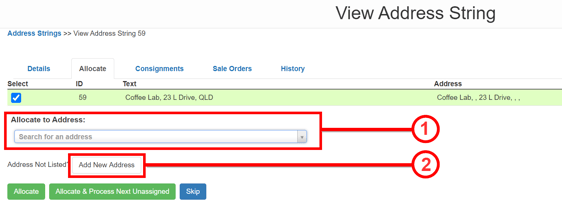
Now either:
- Allocate it to an existing address record or
- Allocate it to a new address record
- Once the address record is chosen, select Allocate.
- Navigate back to the Sale Order by going to the Sale Orders tab of the address string, finding it the Sale Order, then selecting View
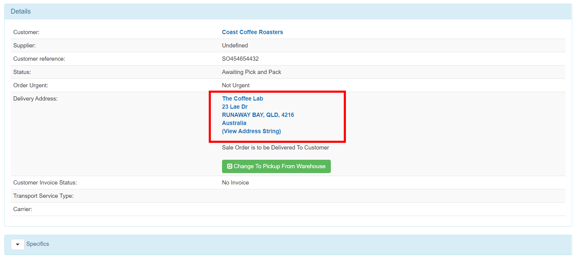
- The address record that was selected will now appear.