
Table of Contents
- Purpose
- Benefits
- How to add a comment to an address on the web app
- How to add a comment to an address on the mobile app
Purpose
To add a comment against an Address that is visible on the web app and mobile app for other users. You can add a comment to an address from both the web app and mobile app.
Benefits
This is useful for drivers delivering to the address as they can then record important delivery information for future deliveries.
How to add a comment to an address on the web app
- Navigate to the Address page, More>Addresses.
- Select the Address you wish to add a comment to.
- Select the Comments tab.
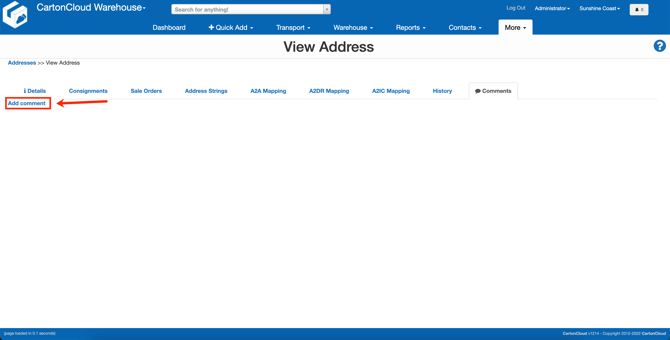
- Click Add comment.
- Write the comment.
- Click Submit.
- This comment will now appear against the address on both the mobile app and the web app.
How to add a comment to an address on the mobile app
- Open the Consignment.
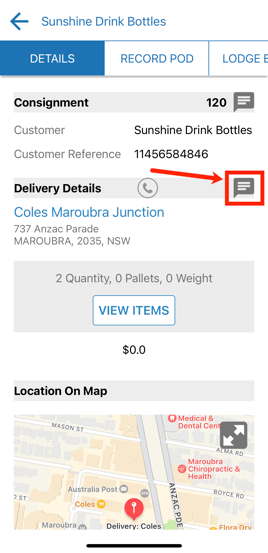
- Click the comments button against the address.
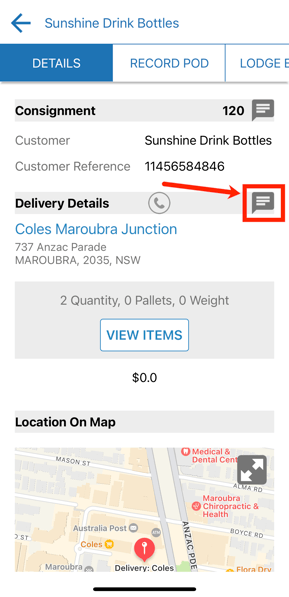
-
Type in the comment
-
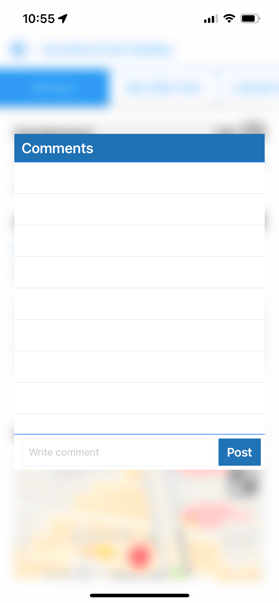
Click Post.
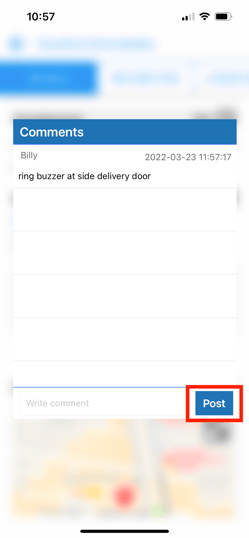
- The comment will now appear against the address in the mobile and web app for all users.