Table of Contents
Purpose
To manually check that the Proof of Delivery scanned or photographed meets requirements. For example, when completing a delivery, Drivers may take a photo that is poor quality or unreadable.
How to approve the POD
- Navigate to the Documents page, More>Documents.
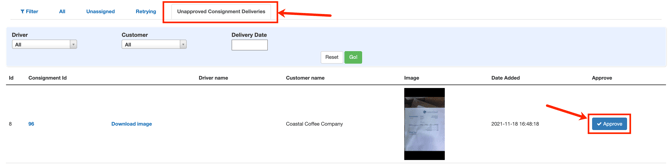
- Select the Unapproved Consignment Deliveries tab.
- You will see all the Consignments with a POD uploaded against them.
- To approve the image, select the blue Approve button. By clicking Approve, the Consignment delivery status will be updated to Approved.