
Table of Contents
What are Product Groups
A Product Group is assigned to Products and then can be used to filter Products by Product Group and also include it on the Customer Stock Report.
- When on the Products page you can apply to filter the list by Product Groups.
- When exporting Products you can filter the list by Product Groups.
- On the Customer Stock Report you can choose to include the Product Group.
How to create a Product Group
- Use the Search for anything bar and type in Product Groups.
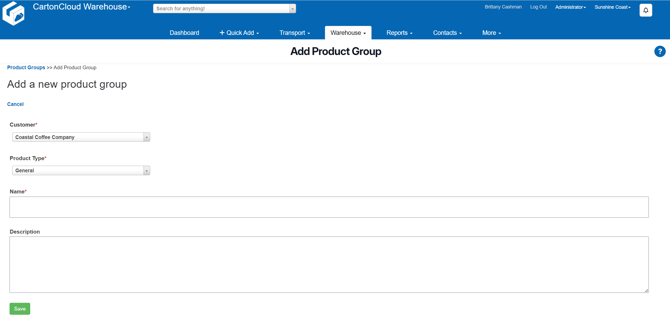
- Select the Add Product Group button.

- Select the Customer, Product Type, Name and Description for the Product Group.
- Select Save.
How to assign a Product Group to a Product
You can assign a Product Group to a Product when adding a Product (Add a Product) or when editing a Product (Exporting and Importing Products).