Table of Contents
Purpose
The ability to select the unit of measure utilised in your tenancy to display weight and dimensions.
Considerations
- If you change the unit of measure the existing weights and dimensions set up will not be converted to the new unit of measure. For example, if you have a product set up as 10kg for the weight and you change the unit of measure to pounds, the weight will show as 10 pounds, it will not convert 10 kilograms to pounds.
How to change the unit of measure
Weight and dimensions
-
Navigate to the Organisation Settings, More>Organisation Settings.
-
Select Features & Options.
-
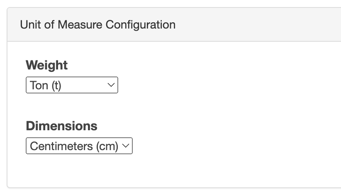
Scroll down to Unit of Measure Configuration.
-
Select the Weight unit of measure and Dimensions unit of measure from the drop-down menu.
-
Scroll down and select Save.
|
Weight unit of measure options |
Dimensions unit of measure options |
|
Kilograms (kg) |
Meters (m) |
|
Tonnes (t) |
Centimetres (cm) |
|
Pounds (lb) |
Feet (ft) |
|
Tons (t) |
Inches (in) |
Distance travelled
-
Navigate to the Organisation Settings, More>Organisation Settings.
-
Select Transport.
-
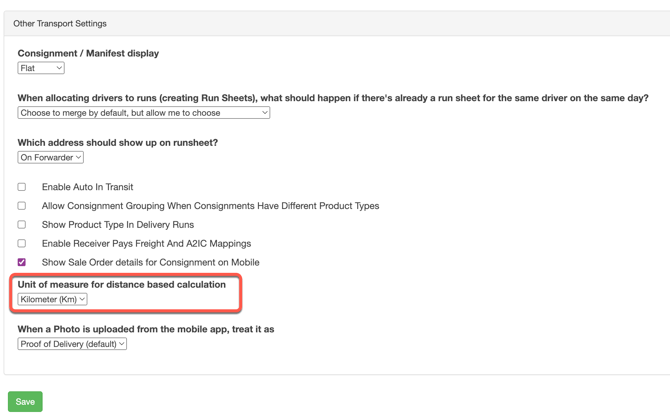
Scroll down to Other Transport Settings.
-
Select the unit of measure you wish to use from the Unit of measure for distance based calculation drop down menu. You can choose from Kilometers (km) and miles.
What will change
You will see the unit of measure displayed wherever weight and dimensions is shown in the application. This includes:
-
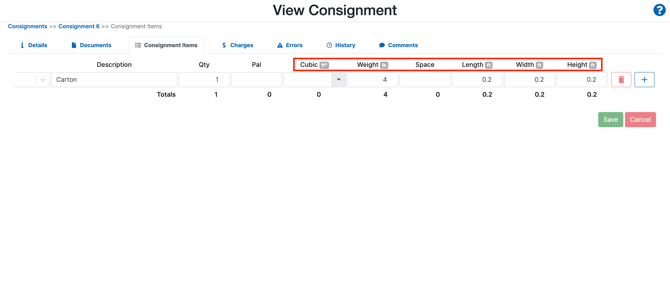
Consignment Items
-
Products
-
Transport Products