
Table of Contents
- What is the Usage report
- How to access the usage report
What is the Usage report
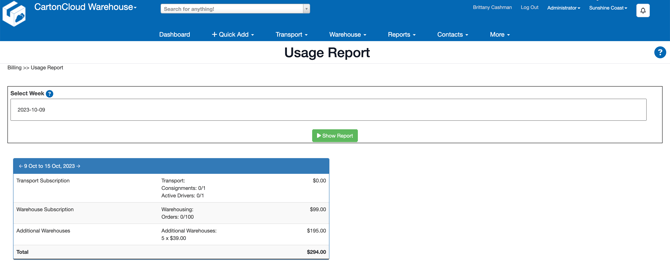
The Usage Report page outlines your tenancies billable usage of CartonCloud. You are also able to check historical usage by selecting a previous week on the calendar.
How to access the Usage report
- Select Reports > Usage Report.
- Select the week you wish to run the report for.
- Click Show Report.
- The Report will appear on the page.
An Active Driver is a driver that has had a Consignment allocated to them during that week (included deleted ones).