Table of Contents
What is the Stats report
The Stats report provides you with a month by month summary of your activity/usage in your CartonCloud account.
Note: Any charges linked to a Voided Invoice will not be included in the report.
How to access the Stats report
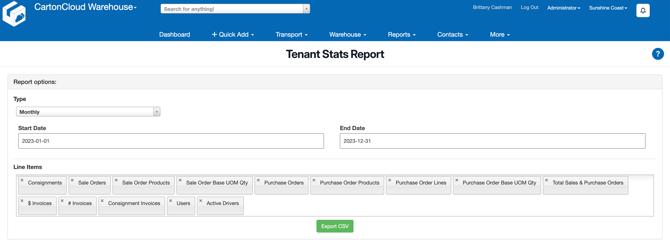
- Select Reports > Stats.
- Select if you would to run the report in a monthly or weekly format.
- Select the Start Date and End Date.
- Select the Line Items you wish to be included in the report.
| Line item | Description |
| Consignments | The number of Consignments for the month |
| Sale Orders | The number of Sale Orders for the month |
| Sale Order Products | The number of Sale Order Products for the month |
| Sale Order Base UOM Qty | The total quantity on Sale Orders in the base unit of measure |
| Purchase Orders | The number of Purchase Orders for the month |
| Purchase Order Products | The number of Purchase Order Products for the month |
| Purchase Order Lines |
The number of lines on all Purchase Orders for the month |
| Purchase Order Base UOM Qty | The total quantity on Purchase Orders in the base unit of measure |
| Total Sales & Purchase Orders | The total number of Purchase Orders and Sale Orders for the month |
| $ Invoices | The total invoice dollar amount for the month |
| # Invoices | The total number of invoices for the month |
| Consignment Invoice | The number of consignment invoices |
| Users | The total number of users for the month |
| Active Drivers | The total number of active drivers for the month |
- Select Export CSV.