
Table of Contents
Purpose
When viewing the details of a consignment in the CartonCloud mobile apps the relevant addresses will be displayed. This means that for a delivery consignment the address the delivery is destined for is shown. Similarly, a pickup consignment will show the address the consignment will be picked up from.
In addition to these essential addresses, CartonCloud offers the option to show additional Pickup or Delivery Info for consignments.
The optional additional Pickup / Delivery info is de-activated by default. To activate, please follow the instructions below.
Activating additional pickup / delivery information
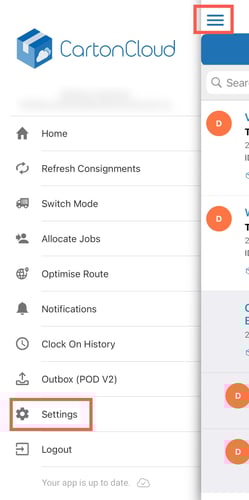
- Use the menu navigation and select Settings.
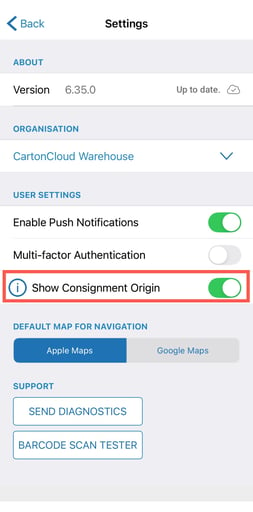
- Enable Show Consignment Origin.
Displayed information
The additional address information displayed varies depending on the consignment type.
Pickup: You can now also see where a Pickup consignment's final destination is, not just where the Pickup is.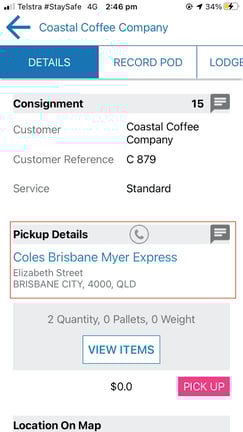
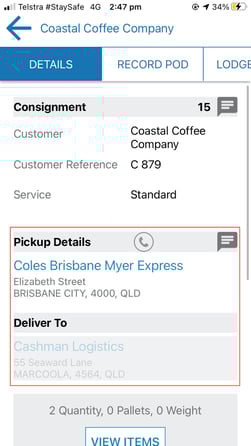
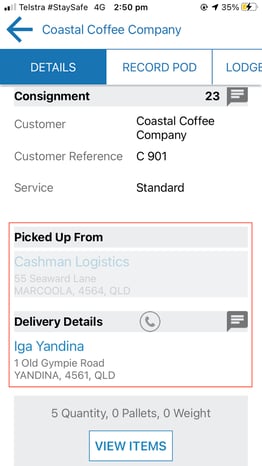
Delivery: You can now see where a Delivery consignment originated from (e.g. which one of your warehouses), not just where it is getting delivered to.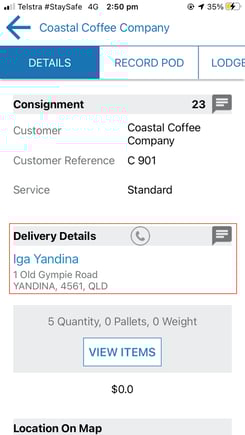
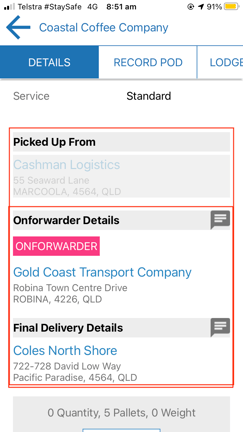
Onforwarder: You can now also see where an Onforwarder consignment originated from (e.g. which one of your warehouses), not just the Onforwarder's address and the final delivery address.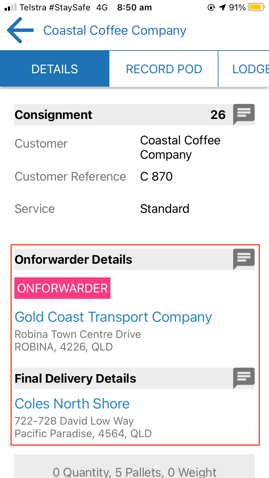
Please note that Point to Point consignments are not affected by the activation of the Additional Pickup / Delivery Info option. Point to Point consignments will continue to display both a Pickup and a Delivery address.